@vardexxx — founder
——
Post Chat — @TonPostChat
____
This channel provides insider and first-hand information about the project. If you share it elsewhere, make sure to mention us as the source! ❤️
Post #681
3.12K
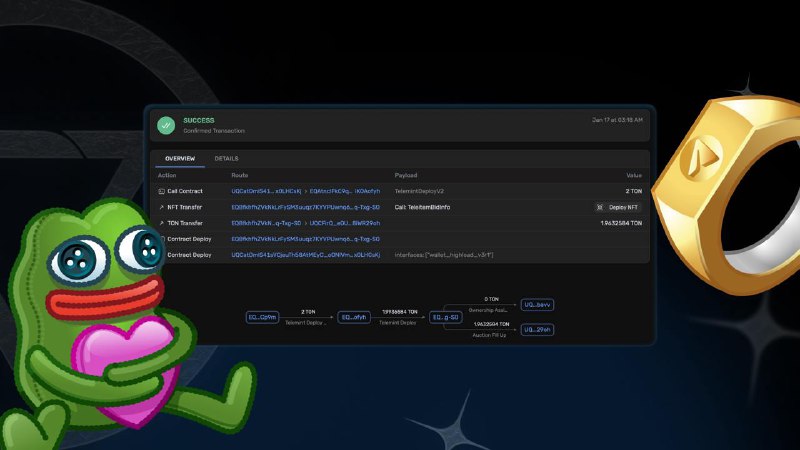
🎁New Era of NFTs: Send Telegram Gifts, Transform them into Digital Assets
The latest update allows Telegram users to send gifts, upgrade them, and convert them into NFTs on the TON blockchain.
Telegram has also improved profile customization: NFTs can now be used as decorations, helping you stand out among millions of users.
What's New?
- You can now send virtual gifts to friends directly on the TON blockchain
- Decorate your profile with a unique digital gift
→ More details on the update
Terms for Conversion:
- Only upgraded gifts can be turned into NFTs
- A 21-day waiting period is required after upgrading. If the gift is returned or received again, the timer resets
- Two-factor authentication must be enabled for at least a week. A password is needed to confirm the operation
- KYC verification on Fragment is mandatory for working with NFTs
How to Convert Gifts into NFTs:
1. Open Profile → My Gifts
2. Locate the upgraded gift to be converted
3. In Gift Settings, select Change Owner
4. Click Send via Blockchain. Telegram will redirect you to Fragment.com
5. Connect your non-custodial wallet (e.g., TON Space, Tonkeeper, MyTonWallet)
6. Link your Fragment account to your Telegram
7. Complete the verification (KYC) on Fragment if you haven't already
8. Finally, click Transfer NFT, and your gift will become a unique digital asset
What Can You Do with NFT Gifts?
- List your NFTs on marketplaces like Getgems.io
- Share your NFTs with friends via the TON blockchain
- Customize your account with unique backgrounds and emojis
If you’ve purchased an NFT gift from a marketplace, you can easily add it to Telegram. Simply visit Fragment.com, connect your wallet, and select the NFT to be displayed in your profile.
Your gifting @TonPost
The latest update allows Telegram users to send gifts, upgrade them, and convert them into NFTs on the TON blockchain.
Telegram has also improved profile customization: NFTs can now be used as decorations, helping you stand out among millions of users.
What's New?
- You can now send virtual gifts to friends directly on the TON blockchain
- Decorate your profile with a unique digital gift
→ More details on the update
Terms for Conversion:
- Only upgraded gifts can be turned into NFTs
- A 21-day waiting period is required after upgrading. If the gift is returned or received again, the timer resets
- Two-factor authentication must be enabled for at least a week. A password is needed to confirm the operation
- KYC verification on Fragment is mandatory for working with NFTs
How to Convert Gifts into NFTs:
1. Open Profile → My Gifts
2. Locate the upgraded gift to be converted
3. In Gift Settings, select Change Owner
4. Click Send via Blockchain. Telegram will redirect you to Fragment.com
5. Connect your non-custodial wallet (e.g., TON Space, Tonkeeper, MyTonWallet)
6. Link your Fragment account to your Telegram
7. Complete the verification (KYC) on Fragment if you haven't already
8. Finally, click Transfer NFT, and your gift will become a unique digital asset
What Can You Do with NFT Gifts?
- List your NFTs on marketplaces like Getgems.io
- Share your NFTs with friends via the TON blockchain
- Customize your account with unique backgrounds and emojis
If you’ve purchased an NFT gift from a marketplace, you can easily add it to Telegram. Simply visit Fragment.com, connect your wallet, and select the NFT to be displayed in your profile.
Your gifting @TonPost
- 👍 6
- ❤ 2