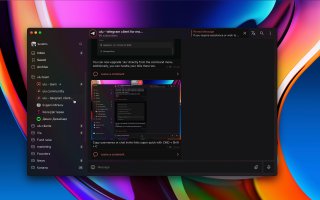
We're excited to announce an upcoming major release designed to streamline the setup process for new users of the ulu app.
Additionally, we've dedicated the past week to enhancing performance and resolving several bugs to ensure a smoother user experience. Stay tuned for the update!
We've released the highly anticipated feature you've all been waiting for just before the New Year holidays: you can now snooze a chat using the CMD+H shortcut.
Our wish for everyone is a highly productive New Year!
We've just rolled out a fresh command, 'Create new linear tack', and some nifty hotkeys for Google Meet and Linear Task creation. Making your life easier, one update at a time!
We're adding a 'Today' section to our fresh folder UI. You'll find all chats not in your current workspace folder here. Best part? They auto-clear 12 hours after adding. So, even if a chat is marked 'Done', you can still add your two cents.
How can I read @uludotso without a Telegram account?
TGViewer shows the public web preview Telegram publishes for ulu - telegram client for modern teams: recent posts, photos, videos and the subscriber count, with no app, login or account.
How many subscribers does ulu - telegram client for modern teams have?
ulu - telegram client for modern teams (@uludotso) has 180 subscribers on Telegram, refreshed roughly every 30 minutes.
Does ulu - telegram client for modern teams know I viewed it here?
No. Public channel previews carry no viewer identity, and TGViewer has no accounts or tracking of what you look up.
 UL
UL