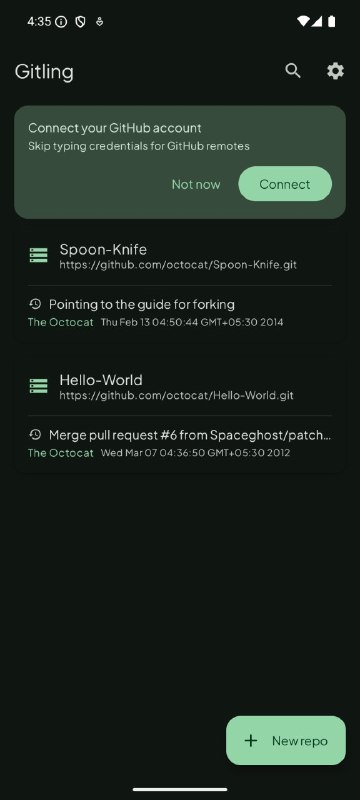
· Clone, create, and delete local repositories · One-tap Connect with GitHub (OAuth Device Flow) -- no manual token/password handling for GitHub remotes · HTTP/HTTPS/SSH, including SSH with private-key passphrase · Username/password and personal access token authentication for any Git host · Browse files and commit history, git diff between commits · Checkout, create, and merge local/remote branches and tags git status, staging, git rebase, git cherry-pick, git checkout <file> · Private key generation and management · Import an existing repository from device storage · Light/dark mode that follows the system, with a choice between a fixed brand color or wallpaper-based Material You dynamic color
- Reads production manifests – Lapdev builds an App Catalog straight from your production Deployments, StatefulSets, ConfigMaps, Secrets, and Services. - Creates tailored environments – Launch fully isolated personal namespaces, shared team baselines, or lightweight branch environments with intelligent traffic routing. - Keeps everything in sync – Monitor production for changes, notify developers, and apply updates when you are ready—no manual YAML drift. - Enables local-style iteration – Devbox routes cluster traffic to your laptop, so you debug locally while remaining wired into in-cluster dependencies. - Publishes secure preview URLs – Share HTTPS endpoints for any service without juggling DNS, certificates, or ingress rules.
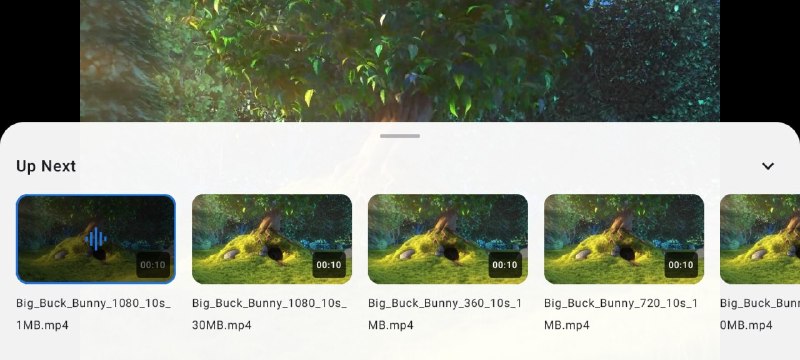
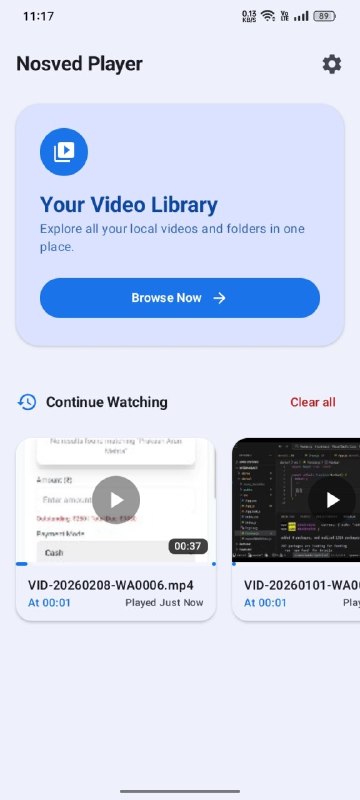
• Default Style — Clean, minimal controls with gesture-based brightness & volume adjustment. • Modern Style — Modern immersive controls with smooth multi-tap seek gestures, a swipe-up settings panel, Replay / Forward buttons, and an Up Next queue overlay. • Advanced Playback Speed & Scrubbing — Precision speed controls and visual live-scrubbing while interacting with the seekbar. • HDR Fallback Mechanism — Intelligently spoofs Dolby Vision MIME types to H.265 to prevent black screen issues on non-DV supported devices.
Advanced Gesture Controls
• Right/Left Swipe — Seek through video timeline forward and backward. • Right/Left Double Tap — Seek 10s Forward and Backward (Seek time can be customised). • Vertical Swipe Left — Adjust Brightness. • Vertical Swipe Right — Adjust Volume. • Long Press on The Screen — 2x Speed. • 2 Finger Single Tap — Pause/Resume Video. • 3 Finger Single Tap — Lock 2x Speed.
Powerful Subtitle Engine
• Embedded ASS/SSA Customization — Full control over subtitle fonts, text size, bolding, and robust background corner boxes. • Swipe-to-Seek Dialog — Instantly jump backward or forward through dialogue lines by swiping directly on the subtitle text. • Advanced Sync — Manual speed sync and text encoding adjustments for perfect audio-visual timing.
Smart Library & UI Customization
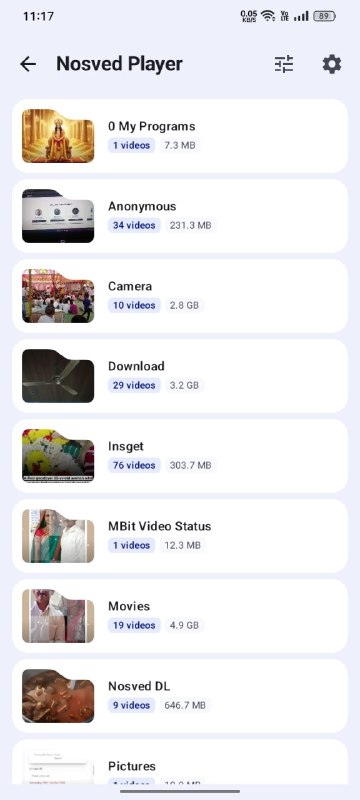
• Dynamic Home Screen — Choose exactly what your dashboard displays: Storage Tracker, History Cards, or Latest Videos. • Custom Landing Screen — Bypass the Home page entirely and boot directly into your Video List. • True AMOLED Theme — Total black color mapping for dark mode, maximizing OLED battery savings. • Rotary Sort Wheel — A unique radial wheel picker for sorting videos with smooth spring-physics animations. • Folder Views — Multiple layout modes (All Folders, Files, Explorer, List, Grid).
Material You Dynamic Theme
• Full Material 3 colour system with light and dark schemes. • Optional Dynamic Colour — adapts to your wallpaper on Android 12+ devices. • Status bar and navigation bar colours blend seamlessly with the app background.
Native Video Editing & Utilities
• Multi-Process Architecture — Dual FFmpeg base libraries running simultaneously to support both robust decoding and native editing. • Video-to-Audio Converter — Extract audio from your media files directly within the app. • Timestamp Tools — Developer-friendly utilities for converting standard time to milliseconds and vice-versa.
Performance & Compatibility
• Powered by Google Media3 / ExoPlayer with integrated FFmpeg decoders (via Nextlib) for broad format support. • Fast thumbnails using a custom MediaStore-optimised Coil integration. • Subtitle support — internal & external tracks (SRT, ASS, VTT, etc.). • Gesture controls — swipe for brightness, volume, seek, and aspect-ratio switching.

 SY
SY