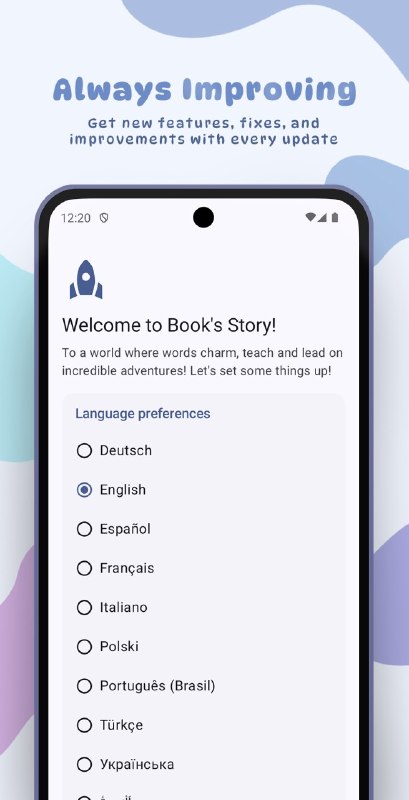
- Storage Access Framework - 7 supported file formats(.pdf, .txt, .epub, .fb2, .html, .htm, .md) - Material You design with unique themes and color presets - Organized Library with custom categories and chapters in the Reader - Highly customizable
Anti fingerprinting • Disables hardware and sensor APIs like Battery, ComputePressure, GamePad, WebGL, and WebRTC by default to prevent device profiling • Hardens Canvas, Media, and Audio APIs against fingerprinting techniques • Overrides identifiable system metrics including language, device memory, CPU info, and timezone
Tracking navigation • Enforces third-party storage partitioning and isolates cross-site cookies (similar to Firefox Total Cookie Protection) • Strips HTTP referral headers, window names, and authorization tokens on cross-origin navigation • Restricts network isolation and splits memory caches by top-frame domains
Privacy • Disables built-in AI, telemetry reporting, site engagement logging, and preconnect features by default • Turns on Do-Not-Track and Global Privacy Control automatically • Restricts automated service workers, third-party iframe access, and background sync mechanisms
Enhancements • Integrates a built-in ad blocker and internal firewall to block unauthorized background connections • Adds support for custom user scripts, alternative search engines (like DuckDuckGo Lite), and a dedicated proxy configuration page • Provides an always-incognito mode and advanced site controls for cookies, scripts, and autoplay
Security • Enforces Strict Origin Isolation and Site-per-Process architecture by default • Enables DNS-over-HTTPS (DoH) secure mode and Certificate Transparency checks out of the box • Tightens browser sandbox controls and restricts the use of JIT compilation where applicable
UI • Removes promotional popups, URL truncation, and misleading EV certificate indicators • Introduces mobile-friendly additions like bottom navigation bars, background audio playback, and quick bookmark actions • Adds desktop-centric tweaks including Manifest V2 extension support and debugger statement controls
Disabled chromium features • Completely strips out Google SafeBrowsing and its extended reporting telemetry • Disables native shopping integration, price tracking, and e-commerce helper utilities
Invincible Mode: it uses Device Administrator privileges so you literally can't uninstall the app while the alarm is blasting. nice try though. Anti Power-Off: leverages Accessibility Services to block you from turning off or restarting your phone when the alarm goes off. you are trapped. 4 Wake-up Challenges: Math: solve basic to hardcore math equations. Puzzles: a lot of fun puzzles which actually forces your brain to get out of that unconcious state QR Code: print a QR code, stick it in your bathroom, and go scan it to shut the alarm up. Flashbang: literally blinds you with a bright flashing screen (you can double-tap to dismiss if you're weak). AI Object Detection: forces you to get out of bed and take a picture of a random object (like a chair, toothbrush, grass, or even your cat). Predictive Back Gestures & Minimalist UI: built with Jetpack Compose Material 3, squishy cards, custom mascot icons, and a super clean dark mode. Strict Mode: locks down your alarm settings so you can't cheat and change the time 5 minutes before it rings.
How can I read @spincloudy without a Telegram account?
TGViewer shows the public web preview Telegram publishes for SyntaxSpin's Cloud: recent posts, photos, videos and the subscriber count, with no app, login or account.
How many subscribers does SyntaxSpin's Cloud have?
SyntaxSpin's Cloud (@spincloudy) has 111 subscribers on Telegram, refreshed roughly every 30 minutes.
Does SyntaxSpin's Cloud know I viewed it here?
No. Public channel previews carry no viewer identity, and TGViewer has no accounts or tracking of what you look up.