User’s View
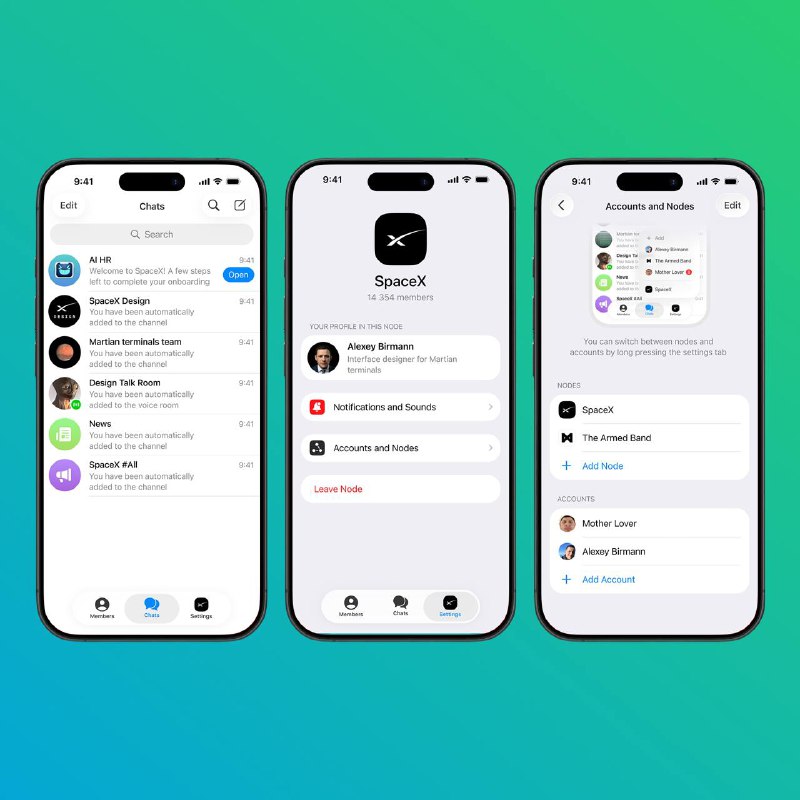
When the user is inside a Node, the Settings tab becomes a hub for all actions and options related to that Node, keeping navigation straightforward. It also includes a link to the local profile, where the user can adjust their identity within this Node
On the Accounts and Nodes screen, alongside the lists of accounts and Nodes, there is an onboarding hint that teaches people to use a long tap to quickly switch between Nodes. After the first successful switch via long tap, this onboarding can be hiden
Post #8
184