TGViewer
Channel Public Channel
r/SelfHosted

r/SelfHosted

@r_selfhosted

@r_channels
Subscribers
969
Photos
4.8K
Videos
37
Links
50.9K
Recent Posts 20 shown
Post #53945 2
Combining TOR, WebRTC and Git into a Decentralized E2EE P2P Messaging App

Not better than WhatsApp, Signal, SimpleX, Cwtch or Ricochet. You definitely shouldn't selfhost this or replace any of your existing apps or services. It's far from finished. Unaudited and unreviewed. If you want to test it out, please use it responsibly.

I'd like to share what I'm working on and interested to see if anyone wants to share feedback on the approach. I set some requirements on the roadmap below. I'm aiming for "the most secure, private and decentralized" messaging app. A target so ambitious i expect it to be impossible.

Im sure the roadmap only has a fraction of the list needed, but let me know what i've overlooked, even if its impossible(, i'd like the set of requirements to be exhaustive).

It's a fairly a unique stack and architecture in contrast to the traditional approach with mainstream messaging apps (and thats not a good thing!). To put it briefly, its a Rust-based frontend with a Git-server backend, which can be used to establish a E2EE Tor/WebRTC connection.[](https://app.glitr.io)

Features:

* No installation
* No registration
* PWA
* Android
* TUI
* WebRTC
* Tor routing
* TURN server
* Git-host backend
* Local-first
* Encrypted-at-rest
* Signal protocol
* Post Quantum cryptography
* Calls
* File-transfer

Note: Its still a work in progress and **there will be breaking changes**, but it would be interesting to hear your thoughts and questions on the approach.

Roadmap: [https://glitr.io/docs/technical/roadmap](https://glitr.io/docs/technical/roadmap)

**IMPORTANT DISCLAIMER:** While this is aiming to provide a secure experience, it's a work-in-progress and far from finished. It is unreviewed and unaudited. I'm sharing here for testing, feedback and demo purposes only. **Pease use it responsibly.**

**AI Disclosure:** The first messenger version ([chat](https://github.com/positive-intentions/chat)) was written without it. As AI has improved, it has slowly been integrated into various processes, and now, AI is part of the workflow. Using AI is an understandable concern, **especially** for a cybersecurity project like this, so its import to be upfront about its usage. I think its notable that the project has reached a point of AI generated formal verification which should help overcome some concerns overlooked by unit-tests. The project has reached a stage of aiming for clear transparent comprehensive documentation as well as a self-audit. The entire set of documentation and self-audited details are intended for my benefit. **They are not an audit. Id like to aim for them to be a starting point for third-party review like for a** [related project](https://www.reddit.com/r/CyberSecurityAdvice/comments/1su8lir/security_audit_feedback_from_radically_open/)**.**

https://redd.it/1x0n2pe
@r_SelfHosted
Post #53944 8
Need help with setting up a home server

Hey guys, I have a few questions about setting up a home server for myself and a couple of people.
We would need some storage (like a couple of TB) that I'm able to encrypt with OpenPGP and the ability to host a chat room. The most important part is data safety / privacy.

Do you have hardware and OS recommendations?

Thanks :)

https://redd.it/1x0lowm
@r_SelfHosted
Reddit From the selfhosted community on Reddit Explore this post and more from the selfhosted community
Post #53943 16
Is there a free to self host app like Photopea?

Photopea (https://www.photopea.com/) is a really nice image editing/photoshop app, but unfortunately for myself personally, self hosting it is how they make their money from business customers. Is there an open source/free alternative for someone looking to self host?

Doesn't need absolutely all the features/UI, but I'd love to be able to self host a basic photo editing tool I can use on the go/share with friends and family without the need to locally install anything.

https://redd.it/1x0kbid
@r_SelfHosted
Photopea Photopea | Online Photo Editor Photopea Online Photo Editor lets you edit photos, apply effects, filters, add text, crop or resize pictures. Do Online Photo Editing in your browser for free!
Post #53941 8
even has multi-view mode to let you watch multiple things at a time. For those that want to combine their own server with external IPTV, Strand handles both exceptionally well.

Sadly im not one of those people, I’m strictly a server guy. And there’s not much else here feature wise for media server only users. It has the usual features such as seerr and trakt integration, but nothing outstanding.

**Playback**
Strand uses its own custom player which is overall solid. Ive encountered only minimal stuttering, or audio falling out of sync, both of which usually occur when rewinding or fast forwarding. Most of the time it runs everything seamlessly, without hiccup.

**Ratings**
UI 9/10
Customisation 10/10
Features 8/10
Playback 8.5/10
Overall 8.5/10

**Discord:** [https://discord.gg/mmBMhNC2f](https://discord.gg/mmBMhNC2f)

\----------

**Neptune**

**Connections** Jellyfin Only
**Seerr Integration** Yes

**UI**
Neptunes UI has some super cool features, like the adaptive colour palette that adjusts depending on the movie or show your hovering over. But overall I didnt find the look and feel as appealing as those listed before. It’s a little chunkier, a little less refined. I get that UI can be personal taste, and mine just found Neptune a little too busy.

**Customisation**
Sadly not a lot of customisation options here. It basically mirrors what’s on your Jellyfin home screen, which I know can be personalised, but not to the level of Zuno & Strand. 

**Features**
Some sexy features here that really add to the experience using the app. 

* Conductor Pro will learn how you like to watch certain media (what language, with or without subtitles, audio profile etc) and then automatically set that up for similar media
* Search! I know, everyone has search, but not like Neptune. Here you can literally describe a scene from a movie and it will find it for you. Write in “Pivot the couch” and to will come up with the correct episode of friends. It’s pretty cool.

Outside of these quality of life features though, there’s no a lot extra going on. 

**Playback**
This is where Neptune really shines. Its custom trident player is great. Ive been using it for a few months and it hasn’t missed a beat. Seamless. As close to Infuse as any of the clients ive tested as far as playback goes.

**Ratings**
UI 7/10
Customisation 5/10 
Features 7/10
Playback 9.5/10
Overall 7.5/10

**Discord:** [https://discord.gg/dx9FPMpmJ](https://discord.gg/dx9FPMpmJ)

\----------

**Odin**

**Connections** Jellyfin Only
**Seerr Integration** Yes

**UI**
Odins designer knows what he’s doing. This thing SLAPS. The logo animations, transitions, the overall branding is all on point. The overall feel of the app on iPhone and tvOS is smooth and easy to navigate. Nothing but good things to say

**Customisation**
Sadly not a lot to report here. You can reorder rows, there’s some default rows you can add in as well. But nothing overly exciting that can compare to Zuno & Strand

**Features**
Also fairly limited on the features side of things. It plays media, and it plays it well. Its important to note that this is the youngest of all the apps listed here, only just coming on to the scene a month or so ago (It used to be Fusion but had to pivot), so hopefully they will be adding more features in time.

**Playback**
Im guessing they’ve brought over the same player from Fusion, because Odin plays everything very well. It’s a great experience with limited issues. Ive only come across the odd stuttering, and audio falling out of sync. Load times are also snappy. 

**Ratings**
UI 9/10
Customisation 6/10  
Features 6/10
Playback 9/10
Overall 7.5/10

**Discord:** [https://discord.gg/odinapp](https://discord.gg/odinapp)

\----------


In summary all 4 are great clients with pros and cons. Personally I am someone who loves to tinker and curate custom lists with my media, so I lean towards Zuno and Strand. But I understand people preferring Neptune for his custom player and search functionality.
Discord Join the Strand Discord Server! Check out the Strand community on Discord - hang out with 2957 other members and enjoy free voice and text chat.
Post #53940 11
My review of the different Plex & Jellyfin clients

Like a lot of you, ive been on the TestFlight for a lot of the new Plex & Jelly clients that seem to be popping up every second day. So I thought id break down my experience with 4 of the best in my opinion. Again these are just my thoughts. Give them a whirl yourself and share your thoughts.

\----------
**Zuno**

**Connections** Plex / Jellyfin / Emby
**Seerr Integration** Yes

**UI**
The Zuno UI comes straight out of the Apple handbook. It’s clean, minimal, smooth, and looks great overall. It seems designed to seamlessly feel at home with your other Apple Apps, especially on tvOS. The UI could definitely use some love and attention on the more out of the way pages, such as the movie and show library pages. Would be great to see additional pill buttons and filters to make navigating larger servers easier.

**Customisation**
Zuno has a whole range of different row types that you can create for your Home Screen, including poster and landscape orientations, numbered rows, and my favourite of all, Hubs. 

Hubs let you arrange multiple collections within a single row on the homepage. A use case might be to put different media universes on a single row such as Marvel, Star Wars, DC, LOTR etc. Then inside each Hub you can choose to display all the media as one main grid, or have individual rows to further break down your media. I personally have the Star Wars Hub set up with individual rows for The Skywalker Saga, Standalone Movies, Live TV Shows, Animated TV Shows etc.

Hubs can also be set up for streaming services, actors, directors, decades, genres, anything and everything. The whole system can be set up how you like.

**Features**
Zuno is stacked with features that in my opinion elevate it above all the other clients. 

* Zuno Connect - Lets you get alerts when new media hits the server
* Screenings - Have a watch party with your mates. Choose what to watch and then have it play in sync on everyone’s device.
* Zuno Live - Create your own Live TV Channels using based on genres, external lists, or your own collections and playlists (Personally love this one) Managed Profiles - Can set up kids profiles that filters out mature content. Also in the works is the option to individualise the homepage rows for people that connect to your server. So you can curate content for your parents or other family and friends, tailoring the homepage to their tastes.

**Playback**
Ive been on the test flight for Zuno for about 4 months and the playback on its custom made player has got increasingly better and more stable, to the point where now its buttery smooth 95% of the time. At times it can struggle when rewinding or fast forwarding media, where it can occasionally hang or audio momentarily falls out of sync. Outside of this though, its played everything ive thrown at it. 

**Ratings**
UI 9/10
Customisation 10/10
Features 10/10
Playback 9/10
Overall 9.5/10

**Discord:** [https://discord.gg/MmEUwfJmg](https://discord.gg/MmEUwfJmg)

\----------

**Strand**

**Connections** Plex / Jellyfin / Emby / WebDAV / IPTV
**Seerr Integration** Yes

**UI**
Strand is very similar to Zuno in that it feels made for Apple. There’s just something about that clean look that feels right. Navigation is snappy, uncluttered, and easy to navigate. I like that the library pages have extra options for filtering media, making it easier to find those hidden gems on your server.

**Customisation**
Again Strand and Zuno are extremely similar in their ability to let you customise. It has multiple row types (poster / landscape / numbered) as well as a similar hub system to organise and curate your media how you like. They recently updated this hub system to be also include the individual rows like Zuno, rather than just the grid, which definitely elevates it from previous versions.

**Features**
The main feature here is the addition of IPTV, including live sports. You can see upcoming matches, pin your favourite team or league to so the full schedule. It’s a very very cool feature. It
Discord Join the Zuno Player Discord Server! All things about Zuno Player | 431 members
Post #53939 15
Self-Hosted Steam / Game Manager

I've been trying to find something like this for some time. There are self-hosted alternatives to Spotify, Netflix and lots of other services. But surprisingly I haven't found any alternative to Steam. The closest thing I've found is GameVault but it's not open source, the client only runs on Windows and I find it really limited.

The idea would be to have your games (without drm) stored on your server, then you could easily download them from any computer and play the games. Maybe it could even track playtime or achievements, and even have a federated friends system.

Do you know of any viable alternative that currently exists? If not, do you know why there isn't any software for this purpose?

Btw, I'm up to building this software if it doesn't exist yet.

https://redd.it/1x0jt8t
@r_SelfHosted
GitHub GitHub - Phalcode/gamevault-app: Frontend for the self-hosted gaming platform for drm-free games Frontend for the self-hosted gaming platform for drm-free games - Phalcode/gamevault-app
Post #53938 18
Need help with home-hosted cloud folder

I'm trying to set up something that will automatically sync files between an android device and a W11 PC that would be my mainly used PC. I have a separate drive I shared with Syncthing, but when I attempt to open those files on android, they seem to be encrypted, there's no file type and they get nested into several folders

Is there an easy way to change this behavior so it will produce a usable file on the android device?

https://redd.it/1x0g7y9
@r_SelfHosted
Reddit From the selfhosted community on Reddit Explore this post and more from the selfhosted community
Post #53937 19
Plex is actively making its own product worse. Removing Watch Together is just another example of enshittification.

I've been using Plex for years, and I'm getting increasingly frustrated with the direction this company is heading.

Tonight, I went to use Watch Together, a feature my girlfriend and I use almost daily to watch shows when we're apart. It was working just minutes earlier, and suddenly it was gone from my Google TV.

Apparently, Plex decided not to carry Watch Together over to its redesigned app. A perfectly functional feature that people actually use was simply discarded.

This is textbook enshittification and arguably a form of shrinkflation. Plex continues raising prices while removing functionality. We're paying more and getting less.

I run my own Plex server. I pay for the hardware, storage, electricity, bandwidth, and maintenance. Plex provides the software, yet somehow they keep finding ways to make that software less useful.

And before anyone suggests downgrading the app, using a browser, or finding some third-party workaround, why should I have to? The feature already existed and worked perfectly fine.

I'm tired of companies like Plex treating software updates as opportunities to redesign interfaces and remove functionality nobody asked them to remove.

Watch Together genuinely matters to me because it's how my girlfriend and I spend time together when we're apart. Plex just eliminated a feature we relied on almost every day.

At what point does Plex realize that continually removing features while increasing prices is driving away the very people who supported it in the first place?

Jellyfin is now up and running.

P.S. apparently posting anything remotely critical of Plex in a Plex subreddit gets downvoted until you are silenced. Some real shills in those subreddits.

https://redd.it/1x0hapb
@r_SelfHosted
Reddit From the selfhosted community on Reddit Explore this post and more from the selfhosted community
Post #53936 15
Do I need Docker to run my AI safely?

Hi everyone!

I'm very new to AI and have spent the past few days doing some research on running AI locally.

I only have my personal PC with 32GB of RAM and an RTX 3060 Ti. Based on what I've learned so far, I'm planning to go with this setup:

LM Studio → Qwen 3.5 9B (or 8B) → Hermes

My expectations are pretty simple. I just want a personal AI assistant that can help me manage my schedule, write simple texts, give it permission to view some Notion page, and do some quick research. I might also want it to help me with basic tasks like renaming a bunch of files later on.

My main question is: Given these needs, do I really need to isolate my AI using Docker or something similar?
Also, what do you think of my planned setup? Does it make sense for what I'm trying to achieve, or would you recommend something different?

I'm still very very new to all this, so I'd really appreciate any advice or guidance from people with more experience.

Thanks in advance!

https://redd.it/1x0g6ru
@r_SelfHosted
Reddit From the selfhosted community on Reddit Explore this post and more from the selfhosted community
Post #53935 21
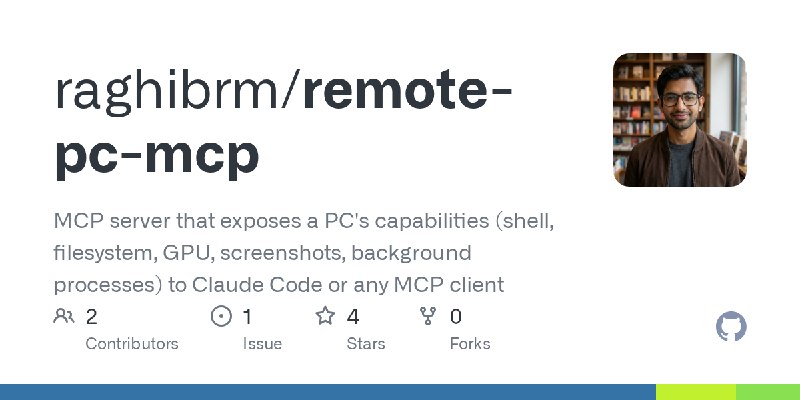
remote-pc-mcp: a self-hosted daemon that lets your AI agent (or any MCP client) drive your home machines over your tailnet

My project: https://github.com/raghibrm/remote-pc-mcp

If you run agents (Claude Code, Cursor, Cline, anything MCP-compatible) and have more than one machine, this turns every box into something the agent can operate: run commands, manage files, watch CPU/RAM/GPU, launch and babysit long jobs, take screenshots, click and type when something needs a GUI touch.

Why it might fit this sub:

- Fully self-hosted. A small pip-installable Python package plus a supervisor, no cloud, no account, no telemetry, nothing phones home.
- Tailnet-first. Set REMOTE_PC_MCP_HOST to your Tailscale IP and the listener is unreachable from anywhere outside your tailnet. The docs explicitly tell you not to expose it publicly without TLS and a reverse proxy.
- Boring, auditable install. Windows: a Startup-folder shortcut. Linux: a systemd user unit (install.sh --linger to survive reboots). --uninstall removes everything. The supervisor restarts the server with exponential backoff on crash.
- Honest threat model. The bearer token is root-equivalent because shell_exec runs arbitrary commands as the daemon user. That's the point of the tool, and the README says so in bold instead of burying it. Constant-time token comparison, sanitized error output.

I run it on a GPU box and an old laptop that serves media, and dispatch heavy or long-running work to them from the machine I actually sit at.

v0.5.0, on PyPI and the official MCP registry, test suite + CI + CodeQL. Feedback welcome, especially on the security posture.

https://redd.it/1x0ehzs
@r_SelfHosted
GitHub GitHub - raghibrm/remote-pc-mcp: MCP server that exposes a PC's capabilities (shell, filesystem, GPU, screenshots, background processes)… MCP server that exposes a PC's capabilities (shell, filesystem, GPU, screenshots, background processes) to Claude Code or any MCP client - raghibrm/remote-pc-mcp
Post #53934 21
Self-hosted photoshop and acrobat pro

So this team has created open source re-implementations of famous adobe software and the interesting part is, they also release web versions. You simply download a couple of static files, serve them via reverse proxy and you got yourself your own online adobe-alternative software.

I have already tried photocraft (photoshop) and printcraft (acrobat pro) and Im thoroughly impressed. Been using Caddy and Authelia to have proper authentication.

https://github.com/storytold

https://redd.it/1x0eu16
@r_SelfHosted
GitHub ArtCraft Open Source Tools and Models for Creatives. ArtCraft has 41 repositories available. Follow their code on GitHub.
Post #53933 25
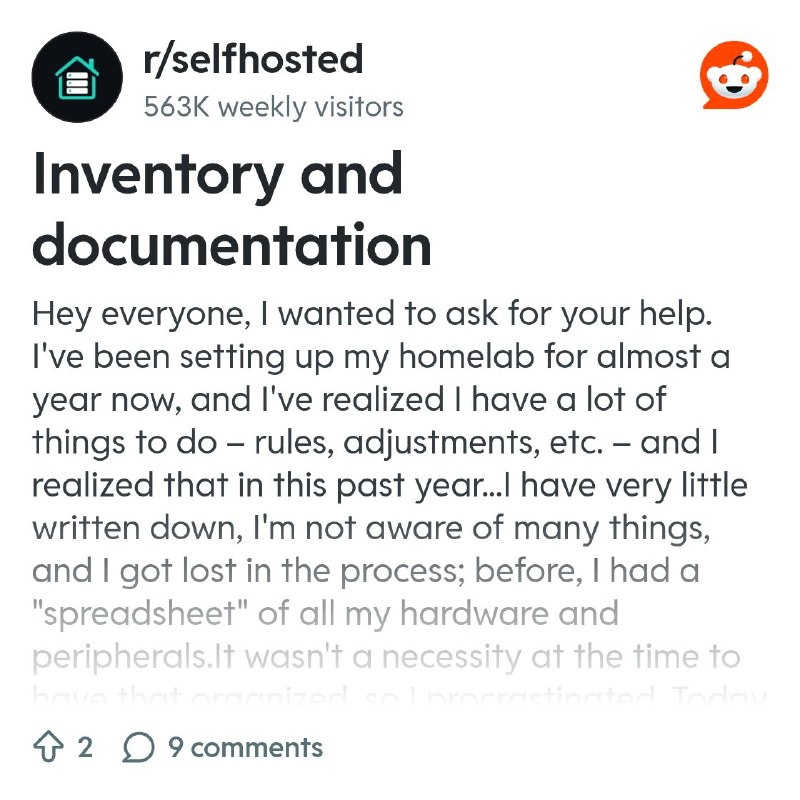
Inventory and documentation

Hey everyone, I wanted to ask for your help. I've been setting up my homelab for almost a year now, and I've realized I have a lot of things to do – rules, adjustments, etc. – and I realized that in this past year...I have very little written down, I'm not aware of many things, and I got lost in the process; before, I had a "spreadsheet" of all my hardware and peripherals.It wasn't a necessity at the time to have that organized, so I procrastinated. Today I'm restructuring everything and I wanted to document and take inventory of everything. I wanted to ask for tips on systems, and if you use anything in your homelab.

https://redd.it/1x0avqq
@r_SelfHosted
Reddit From the selfhosted community on Reddit Explore this post and more from the selfhosted community
Post #53932 24
Is n100/n150 mini pc still the way to go for an affordable home server?

Hi all, at the start of last year I was looking into setting up a homelab to host some services like Immich, Home Assistant and Pihole. The mini pc I was looking at during that time was the GMKtec G3 Plus n150, it was around £100 standalone and then was planning to get an NVME SSD to add to it. But now the costs of these have risen a lot due to obvious reasons. I was just wondering whether this is still the best budget setup that can be had at this time? Or is there something else to consider?

https://redd.it/1x0auhy
@r_SelfHosted
Reddit From the selfhosted community on Reddit Explore this post and more from the selfhosted community
Post #53931 26
Scared of port forwarding.

I am scared to port forward my Minecraft server with the port of 25565 will be breached. So here are my precautions and I need your opinion to tell me if I should improve something.

I am running the server on Pelican which I heard uses docker containers

I only have the Minecraft and cs2 ports open

I have setup ubuntu to deny trafic anywhere on my network excluding my pc that I run commands with

Now I am scared of a close to impossible event but possible where the attacker follows the following path and succeeds. Internet-Router-Docker container-Ubuntu- windows pc ( that I run ssh with) -phones/other PCs ( cause my pc that I run ssh with is still on trafic with the rest of the devices) - passwords and banking accounts.

I know, I know you can't always be sure but please say something to comfort me or advise me on what to do.

https://redd.it/1x07g2i
@r_SelfHosted
Reddit From the selfhosted community on Reddit Explore this post and more from the selfhosted community
Post #53930 20
SayText Chat - Chat like you're playing CS 1.6 again

Hey fellow selfhosters! 👋

It's me, the guy behind HortusFox and many other projects. When I was here the last time, I posted a Minecraft Creeper Tamagotchi game which was well recieved. So, I've got another nostalgia web app for you. Might be fun especially for Gen X and millennials.

Did you play Counter-Strike 1.6 back in the day? For me, it was a lot of fun to play on public servers, play with my friends from school, attend LAN parties, or spend countless hours tweaking my userconfig.cfg or installing custom skins/maps/models.

The internet was way different back then. More of a wild west sort of thing. But structurally spoken way better before everything started to get monetized.

Anyways, I've made a small and simple chat app that revives the feeling of playing CS 1.6 again. It's self-hostable and comes with a basic docker setup.

Here is a list of features:

* Send text messages as CT, T, or SPEC
* Send radio commands ("go, go, go!", "Regroup, team!", "Fire in the hole!", etc)
* Send VOX speech commands ("Loading environment on to your computer", "Alert!", etc)
* Send 1337-speak messages
* Change background images
* View a list of online users
* Specify "server" name and topic

There are no logins. The chat functions very similar to the old website chats of the late 90s. Just pick a name and start chatting. The system reserves claimed usernames for a while until they are free to be used again. First come, first serve. Hence, it's better to keep your instance only for you and your friends, family, etc. Not really a thing to make publicly available on the internet. But of course, you can do that, too.

**Note:** The chat uses some CS 1.6 assets: Background images and sound files. Due to obvious reasons they are not included in the repository / docker image even tho Valve is amazingly welcoming to fan content when it comes to the GoldSrc engine. Thanks to the latter, the docker deployment pulls three assets packages from the project homepage and deploys them. This way, you don't have to manually copy all the assets from a CS installation.

The project is maintained under the MIT license and does not use any GenAI/LLM generated content.

Official project homepage:

[https://www.saytextchat.com/](https://www.saytextchat.com/)

GitHub repo:

[https://github.com/danielbrendel/saytext-chat](https://github.com/danielbrendel/saytext-chat)

https://preview.redd.it/vjd3jfxpw3uh1.png?width=1024&format=png&auto=webp&s=7fe318ed1b441e0382c70600432650461612c636


https://redd.it/1x07z5z
@r_SelfHosted
Saytextchat SayText Chat Chat like you're playing CS 1.6 again
Post #53929 26
SSH and port forwarding. New user

Not sure if this is the right place for this. I recently switched all my writing workflow to the terminal in vim and I love it (Humanities major, no true coding experience at all). What I want to be able to do is access my store of plain text files and notes that exists on my desktop computer at home when out and about. This may be from my laptop, my phone, or work and school computers. I managed to figure out how to ssh into my desktop on my home network which felt like a big win. I set up port forwarding such that I can access my desktop by typing "MYUSERNAME(not root)@WANADDRESS -p HIGHRANDOM PORT NUMBER" but I have heard that leaving a port open to the internet like this may result in my desktop getting compromised.

On my laptop I set up a key so I can just type "ssh homecomputer" and it automatically logs me in with my username and the correct high port which gets forwarded, but I fear this may not be possible on work or school computers.

Is it safe to have the port open like this? Does the lack of a regular username help me in this regard? Anything else I need to know to be able to access my desktop from a variety of devices through ssh?

https://redd.it/1x0043l
@r_SelfHosted
Reddit From the selfhosted community on Reddit Explore this post and more from the selfhosted community
Post #53928 28
Newsairy - a native Apple companion app for self-hosted FreshRSS / Miniflux

More than two months ago I shared Newsairy here as a native Apple companion app for FreshRSS and Miniflux. Here's what's changed since, for anyone who missed it or is curious again.

Local AI summaries. Newsairy 1.20 added short summaries of articles, generated on the device with Apple's on-device model (iOS 26 or later). The model runs entirely on your phone, and nothing leaves your device: no API key, no AI service, no cloud call. Results are cached locally, so reopening an article is instant, and the button simply doesn't appear on devices that can't run the model. Given this sub's privacy mindset, this is probably the part most worth a look.

Sign-in fix for FreshRSS. Some passwords containing +, &, =, @, / or a space were being altered on the way to the server, so a correct password got rejected as wrong. That's fixed. If you worked around it by changing your password, you can switch it back. Miniflux was never affected.

Other recent changes. 1.21 added Find in Article (⌘F on iPad and Mac), a more reliable OPML import and a new "…" menu in the article view with a per-feed Open With switch. This switch is handy for feeds that only share a teaser: you can have each article's full text fetched automatically when you open it, or even when articles are downloaded.

As before: Newsairy is not open source. The free tier covers up to 6 local + 6 iCloud feeds. FreshRSS/Miniflux sync is a one-time Pro unlock, no subscription.

App Store: https://apps.apple.com/us/app/newsairy/id6760046985

Site: https://qebapps.statichost.page/newsairy/

Happy to answer anything about connecting a self-hosted server, or how the local summaries work.

https://redd.it/1x02duz
@r_SelfHosted
App Store Newsairy: RSS Reader App - App Store Download Newsairy: RSS Reader by Enrico Bonaldo on the App Store. See screenshots, ratings and reviews, user tips, and more apps like Newsairy: RSS Reader.
Post #53927 30
Good setup to work remotely on selhosted files and applicants

I want a set-up with a capable workstation accessed by a thin client laptop. Workstation hosts all files and applicants. I'm thinking of two solutions.

Syncthing running on laptop and syncing necessary files. Needs replicating big chunk of file system. Not sure how well syncthing deals with conflicts. It had difficulty syncing git repos.

Thin client connects over VPN by remote desktop and basically stores little locally.

Which of these two ways is better?

Anyone has such setup?

https://redd.it/1x01tvk
@r_SelfHosted
Reddit From the selfhosted community on Reddit Explore this post and more from the selfhosted community
Post #53926 30
Self hosted ntfy notifications through Tailscale: a bad idea?

Trying to get server status and monitoring notifications for things like drive failures, backup failures, UPS status, expiring certs, runaway processes, etc. I don't have anything exposed publicly, so in order to get ntfy notifications on my phone when I'm away, I have two options:

1. Use ntfy's servers without signup using a public topic. I don't love the idea of my notifications being public, even if they are hard to find with a random topic name. Also there are some limitations to using their servers.
2. Self host a ntfy server and use Tailscale to receive messages. This is my preference, but I'm worried about the additional point of failure. If my Tailscale connection goes down (on the server or my phone) I won't be able to receive notifications. I usually keep Tailscale running on my phone all the time for Immich anyway, but notifications need to be fail-safe and I worry this would be poor practice.

What's your setup for receiving status notifications from your unexposed server?

https://redd.it/1x015s1
@r_SelfHosted
Reddit From the selfhosted community on Reddit Explore this post and more from the selfhosted community
Older posts →

About this channel

How can I read @r_selfhosted without a Telegram account?
TGViewer shows the public web preview Telegram publishes for r/SelfHosted: recent posts, photos, videos and the subscriber count, with no app, login or account.
How many subscribers does r/SelfHosted have?
r/SelfHosted (@r_selfhosted) has 969 subscribers on Telegram, refreshed roughly every 30 minutes.
Does r/SelfHosted know I viewed it here?
No. Public channel previews carry no viewer identity, and TGViewer has no accounts or tracking of what you look up.
Threads Profile ViewerView any public Threads profile without an account.Open ThreadLook →Writing with AI? Make it sound human.Metric37 rewrites AI drafts so they read naturally. Free AI detector, 1,500 words free.Try Metric37 →