TGViewer
Channel Public Channel
Linux - Reddit

Linux - Reddit

@r_linux

Stay up-to-date with everything Linux!
Content directly fetched from the subreddit just for you.

Powered by : @r_channels
Subscribers
1.06K
Photos
4.5K
Videos
207
Links
41.9K

Showing posts older than #42284 · Back to latest

Older Posts 20 shown
Post #42280 62
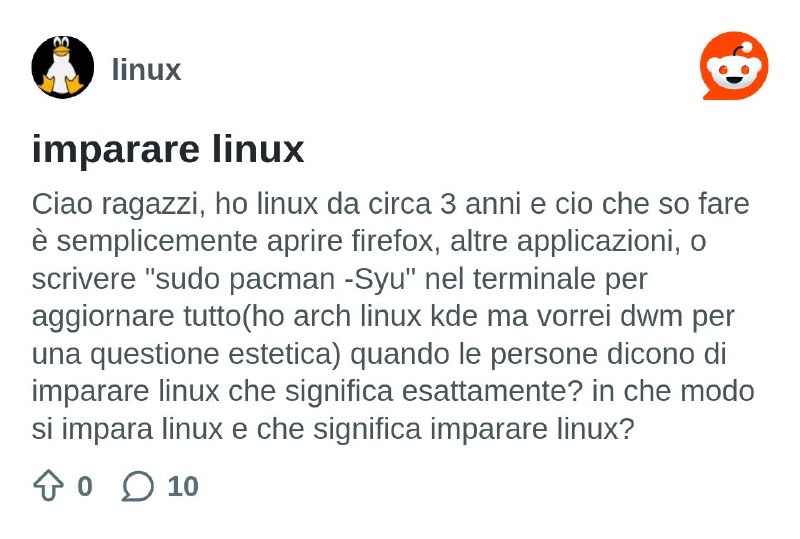
imparare linux

Ciao ragazzi, ho linux da circa 3 anni e cio che so fare è semplicemente aprire firefox, altre applicazioni, o scrivere "sudo pacman -Syu" nel terminale per aggiornare tutto(ho arch linux kde ma vorrei dwm per una questione estetica) quando le persone dicono di imparare linux che significa esattamente? in che modo si impara linux e che significa imparare linux?

https://redd.it/1u5lr69
@r_linux
Reddit From the linux community on Reddit Explore this post and more from the linux community
Post #42278 57
Facing issue with bluetooth on ubuntu

I have actually put a lot of time. I think I have been in this for hours but I’m not able to connect my Sony Headphones with my ubuntu to machine I’m learning Linux right now. I tried all the fixes with ChatGPT and everything, but nothing is working. Is there any god level Linux player out there that can help me out? Let’s fix this. I want to learn.

https://redd.it/1u5gp95
@r_linux
Reddit From the linux community on Reddit Explore this post and more from the linux community
Post #42277 49
controls:PCH=$(aplay -l | awk '/HDA Intel PCH|PCH/ {gsub(":","",$2); print $2; exit}')
echo "$PCH"

amixer -c "$PCH" set Master 100% unmute || true
amixer -c "$PCH" set Speaker 100% unmute || true
amixer -c "$PCH" set Headphone 100% unmute || true
amixer -c "$PCH" set PCM 100% unmute || true
amixer -c "$PCH" set 'Auto-Mute Mode' Disabled || true

sudo alsactl storeRestart PipeWire/WirePlumber:systemctl --user restart pipewire pipewire-pulse wireplumberTest sound:pw-play /usr/share/sounds/alsa/Front\_Center.wavor:speaker-test -D plughw:PCH,0 -c 2 -t wavWhat finally fixed it for meThe big “aha” moment was realizing that this:options snd-hda-intel model=auto,asus-zenbookworked on Kubuntu because my Realtek/PCH audio was the second HDA controller there.But Fedora detected the cards in the opposite order, so Fedora needed this instead:options snd-hda-intel model=asus-zenbook,autoSo the short rule is:If PCH / ALC294 is card 0 and NVIDIA is card 1:
options snd-hda-intel model=asus-zenbook,auto

If NVIDIA is card 0 and PCH / ALC294 is card 1:
options snd-hda-intel model=auto,asus-zenbookThat fixed the internal speakers for me on the ASUS ROG Strix G512LW with Realtek ALC294 and RTX 2070 Mobile / Max-Q.Hopefully this helps someone else with the same cursed little audio gremlin.

https://redd.it/1u5ct1z
@r_linux
Reddit From the linux community on Reddit Explore this post and more from the linux community
Post #42276 40
/usr/share/sounds/alsa/Front_Center.wav

or:

speaker-test -D plughw:PCH,0 -c 2 -t wav

# What finally fixed it for me

The big “aha” moment was realizing that this:

options snd-hda-intel model=auto,asus-zenbook

worked on Kubuntu because my Realtek/PCH audio was the second HDA controller there.

But Fedora detected the cards in the opposite order, so Fedora needed this instead:

options snd-hda-intel model=asus-zenbook,auto

So the short rule is:

If PCH / ALC294 is card 0 and NVIDIA is card 1:
options snd-hda-intel model=asus-zenbook,auto

If NVIDIA is card 0 and PCH / ALC294 is card 1:
options snd-hda-intel model=auto,asus-zenbook

That fixed the internal speakers for me on the ASUS ROG Strix G512LW with Realtek ALC294 and RTX 2070 Mobile / Max-Q.

Hopefully this helps someone else with the same cursed little audio gremlin.I wanted to share this because I spent way too long chasing this issue, and maybe it saves someone else the headache.This was tested on an:ASUS ROG Strix G512LW / G512LW\_G512LW
Realtek ALC294 internal audio
Intel Comet Lake-H UHD graphics
NVIDIA RTX 2070 Mobile / Max-QThe problemThe laptop’s internal speakers were detected in Linux, but they were silent.Symptoms I ran into:Built-in audio shows up in sound settings
Speaker-test runs but no sound comes out
Headphones/HDMI may show separately
PipeWire/WirePlumber sees the device
Internal speakers may randomly break again after updates/rebootsThe important thing I learned is that this fix is not just distro-specific. The same laptop can need a slightly different snd-hda-intel model= order depending on which HDA audio controller Linux detects first.This laptop has both:Intel PCH / Realtek ALC294 analog audio
NVIDIA HDMI audioThe model= options are position-based, so the order matters.Step 1: Check your audio card orderRun:aplay -lLook for something like this:card 0: PCH \[HDA Intel PCH\], device 0: ALC294 Analog
card 1: NVidia \[HDA NVidia\], HDMI devicesor the reverse order, where NVIDIA is card 0 and PCH/ALC294 is card 1.That card order decides which fix to use.If PCH / ALC294 is card 0 and NVIDIA is card 1This was the working order on my Fedora install.Use:options snd-hda-intel model=asus-zenbook,autoCreate the config:sudo tee /etc/modprobe.d/rog-audio.conf >/dev/null <<'EOF'
options snd-hda-intel model=asus-zenbook,auto
EOFIf NVIDIA is card 0 and PCH / ALC294 is card 1This was the working order on my Kubuntu install.Use:options snd-hda-intel model=auto,asus-zenbookCreate the config:sudo tee /etc/modprobe.d/rog-audio.conf >/dev/null <<'EOF'
options snd-hda-intel model=auto,asus-zenbook
EOFUbuntu / KubuntuAfter creating the config file, rebuild initramfs:sudo update-initramfs -u -k allThen fully power off:systemctl poweroffLeave it off for about 30 seconds, then boot again.FedoraOn normal Fedora, after creating the config file, rebuild initramfs with dracut:sudo dracut --force /boot/initramfs-$(uname -r).img $(uname -r)Then fully power off:systemctl poweroffLeave it off for about 30 seconds, then boot again.Fedora Atomic / Kinoite / rpm-ostree style installsMy Fedora install did not have dnf or dnf5, so I used kernel args with rpm-ostree.For Fedora where PCH/ALC294 is card 0 and NVIDIA is card 1:sudo rpm-ostree kargs --delete-if-present='snd\_hda\_intel.model=auto,asus-zenbook'
sudo rpm-ostree kargs --append-if-missing='snd\_hda\_intel.model=asus-zenbook,auto'Then power off:systemctl poweroffWait about 30 seconds, then boot again.Step 2: Verify the quirk loadedAfter reboot, run:cat /sys/module/snd\_hda\_intel/parameters/modelFor Fedora in my case, I wanted to see:asus-zenbook,autoFor Kubuntu in my case, I wanted to see:auto,asus-zenbookThere may be a bunch of extra (null) entries after it. That is fine.Step 3: Reset PipeWire to analog stereoRun:CARD=$(pactl list cards short | awk '/00\_1f.3/ {print $2; exit}')
echo "$CARD"

pactl set-card-profile "$CARD" output:analog-stereo+input:analog-stereo
pactl set-default-sink alsa\_output.pci-0000\_00\_1f.3.analog-stereoThen unmute the ALSA
Post #42275 39
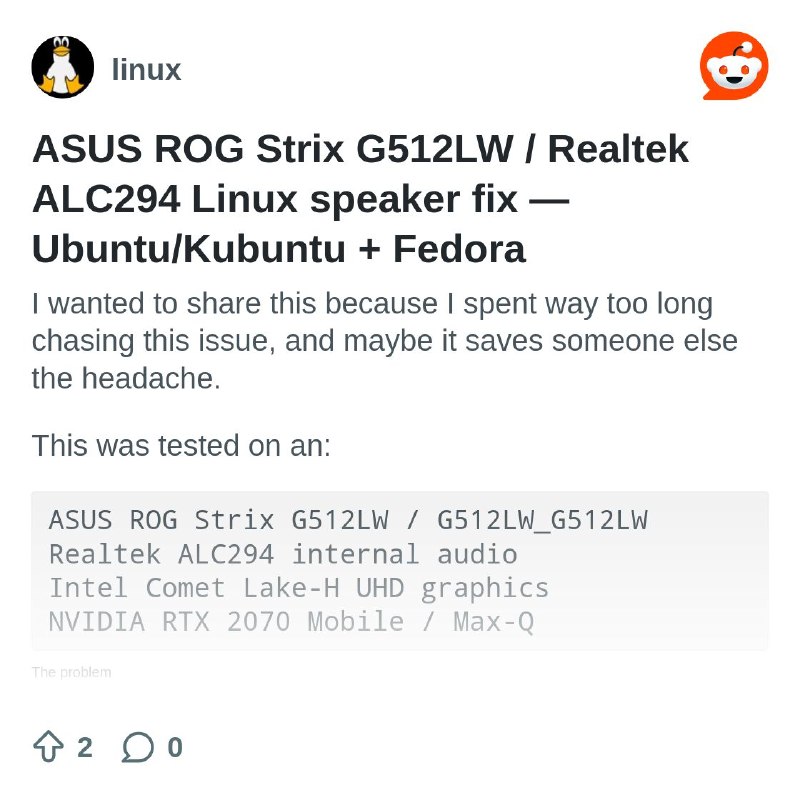
ASUS ROG Strix G512LW / Realtek ALC294 Linux speaker fix — Ubuntu/Kubuntu + Fedora

I wanted to share this because I spent way too long chasing this issue, and maybe it saves someone else the headache.

This was tested on an:

ASUS ROG Strix G512LW / G512LW_G512LW
Realtek ALC294 internal audio
Intel Comet Lake-H UHD graphics
NVIDIA RTX 2070 Mobile / Max-Q

# The problem

The laptop’s internal speakers were detected in Linux, but they were silent.

Symptoms I ran into:

Built-in audio shows up in sound settings
Speaker-test runs but no sound comes out
Headphones/HDMI may show separately
PipeWire/WirePlumber sees the device
Internal speakers may randomly break again after updates/reboots

The important thing I learned is that this fix is **not just distro-specific**. The same laptop can need a slightly different `snd-hda-intel model=` order depending on which HDA audio controller Linux detects first.

This laptop has both:

Intel PCH / Realtek ALC294 analog audio
NVIDIA HDMI audio

The `model=` options are position-based, so the order matters.

# Step 1: Check your audio card order

Run:

aplay -l

Look for something like this:

card 0: PCH [HDA Intel PCH], device 0: ALC294 Analog
card 1: NVidia [HDA NVidia], HDMI devices

or the reverse order, where NVIDIA is card 0 and PCH/ALC294 is card 1.

That card order decides which fix to use.

# If PCH / ALC294 is card 0 and NVIDIA is card 1

This was the working order on my Fedora install.

Use:

options snd-hda-intel model=asus-zenbook,auto

Create the config:

sudo tee /etc/modprobe.d/rog-audio.conf >/dev/null <<'EOF'
options snd-hda-intel model=asus-zenbook,auto
EOF

# If NVIDIA is card 0 and PCH / ALC294 is card 1

This was the working order on my Kubuntu install.

Use:

options snd-hda-intel model=auto,asus-zenbook

Create the config:

sudo tee /etc/modprobe.d/rog-audio.conf >/dev/null <<'EOF'
options snd-hda-intel model=auto,asus-zenbook
EOF

# Ubuntu / Kubuntu

After creating the config file, rebuild initramfs:

sudo update-initramfs -u -k all

Then fully power off:

systemctl poweroff

Leave it off for about 30 seconds, then boot again.

# Fedora

On normal Fedora, after creating the config file, rebuild initramfs with dracut:

sudo dracut --force /boot/initramfs-$(uname -r).img $(uname -r)

Then fully power off:

systemctl poweroff

Leave it off for about 30 seconds, then boot again.

# Fedora Atomic / Kinoite / rpm-ostree style installs

My Fedora install did not have `dnf` or `dnf5`, so I used kernel args with `rpm-ostree`.

For Fedora where PCH/ALC294 is card 0 and NVIDIA is card 1:

sudo rpm-ostree kargs --delete-if-present='snd_hda_intel.model=auto,asus-zenbook'
sudo rpm-ostree kargs --append-if-missing='snd_hda_intel.model=asus-zenbook,auto'

Then power off:

systemctl poweroff

Wait about 30 seconds, then boot again.

# Step 2: Verify the quirk loaded

After reboot, run:

cat /sys/module/snd_hda_intel/parameters/model

For Fedora in my case, I wanted to see:

asus-zenbook,auto

For Kubuntu in my case, I wanted to see:

auto,asus-zenbook

There may be a bunch of extra `(null)` entries after it. That is fine.

# Step 3: Reset PipeWire to analog stereo

Run:

CARD=$(pactl list cards short | awk '/00_1f.3/ {print $2; exit}')
echo "$CARD"

pactl set-card-profile "$CARD" output:analog-stereo+input:analog-stereo
pactl set-default-sink alsa_output.pci-0000_00_1f.3.analog-stereo

Then unmute the ALSA controls:

PCH=$(aplay -l | awk '/HDA Intel PCH|PCH/ {gsub(":","",$2); print $2; exit}')
echo "$PCH"

amixer -c "$PCH" set Master 100% unmute || true
amixer -c "$PCH" set Speaker 100% unmute || true
amixer -c "$PCH" set Headphone 100% unmute || true
amixer -c "$PCH" set PCM 100% unmute || true
amixer -c "$PCH" set 'Auto-Mute Mode' Disabled || true

sudo alsactl store

Restart PipeWire/WirePlumber:

systemctl --user restart pipewire pipewire-pulse wireplumber

Test sound:

pw-play
Post #42274 61
Chris Titus published his book "The Linux Desktop Guide"

Check this out, Chris Titus, a tech youtuber and former systems administrator who is probably most well known for his Windows debloating program winutils has published a book that is intended to be a guide for new Linux users.

Reading through it, it seems like a nice surface level rundown on the most important components, commands and troubleshooting steps. I might consider linking it alongside linuxjourney and such in the future.

I figure it deserves a post here as he made it free as a website and it looks to be a nice contribution to the community. Also the more knowledgeable of you may see if they find any inaccuracies, who knows.

I will leave out the amazon link because automoderator keeps swallowing it, I figure his own store is fair enough and Amazon is in the video description as well for those who want a physical copy.

His video: https://www.youtube.com/watch?app=desktop&v=dVmXcRwIobA

Digital / EPUB (cttstore.com): https://cttstore.com

Free online: https://thelinuxbook.com

https://redd.it/1u5d9qp
@r_linux
YouTube The Linux Desktop Guide I've been on Linux for years and I always wished there was ONE book that gave me a real foundation — not a distro tier list, not 1,000 pages of niche edge cases, just a practical guide to understanding Linux and making it your own. So I wrote it. The Linux…
Post #42273 47
Post #42272 42
from fedora back to Ubuntu

I was very excited to get my 'new' T14s Ryzen 5 16gb laptop. So keen to get Fedora installed and it felt so mega swift. Looked clean, tidy, snappy.

However, after the main updates, the issues occurred.

VLC media player refused to play the headphones continuously, only in an initial burst then gone, silent.

Dragon media player would play but then crashed, the whole system.

Next, no boot - latest kernel had gone bad. So revert to the one before. That then went bad also.

Revert to the one remaining and give up.

So, Ubuntu 24.04 and after the bizarre issue upon first run (maybe Wayland), where icon buttons to click registered the click (changed colour slightly) but they wouldnt go anywhere. Not all on a page, just one or two when the other clickable parts worked fine...so try xorg and then seemingly plane sailing.

Now with my usual apps installed obsidian, vlc, writer, chrome...and some basic aesthetic changes, maybe, just maybe, I have the stable and fast and pleasant looking linux setup I was after.

https://redd.it/1u5a41p
@r_linux
Reddit From the linux community on Reddit Explore this post and more from the linux community
Post #42271 54
connect via adapters to a surprisingly wide range of accessories including MIDI devices and RJ45 Ethernet. It may surprise you that the other Lightning iPads can use many USB accessories, too, with an [adapter](https://support.apple.com/en-us/111811).

Linux on Apple Silicon is now a proven concept. Asahi Linux already allows you to run Linux on Apple Silicon MacBooks. There are now also projects that run Linux on [A7, A8(X)](http://web.archive.org/web/20220612082221/https://konradybcio.pl/linuxona7/), and [A10 (with GUI)](https://www.reddit.com/r/linux/comments/kux9xx/success_iphone_7_with_dead_nand_netbooting/) chips, and some support even got upstreamed to the mainline kernel [with 5.13](https://lists.linaro.org/archives/list/tcwg-commits%40lists.linaro.org/2021/4/?page=25), but they are unnecessarily sketchy for now as they rely on a hardware bootrom exploit (CheckM8) that only exists on certain models. If Apple signs open source bootloaders, then an exploit won't be needed, and developers can likely sort out compatibility issues as they have done in the past.

# The Message

All that we need from Apple is to relax the firmware signing to allow third-party bootloaders. If Apple won't do it, make laws to force it happen. Similar changes already happened with the Type-C port on iPhones which is only more difficult than this.

**Repost this everywhere you can. Share it to your family and friends who are hit by memory price hikes. Request your favorite influencers to make videos on this issue. Call your representatives. There is no better time than right now to push for the change, so don't let the precious opportunity slip away from us.**

https://redd.it/1u54h9a
@r_linux
Apple Support Use Apple USB-A camera adapters with USB-A devices - Apple Support Use Apple USB-A Camera Adapters with USB-A devices.
Post #42270 48
Call to action: computers are getting expensive but 10,000,000 otherwise perfect $200 Linux machines are getting bricked. Once-in-a-lifetime opportunity to save them from landfills.

First off, fuck AI slop and I wrote the whole post myself without AI. It took me a whole afternoon.

TL;DR: we are at a historical opportunity to push for Apple to allow post-market OSes on iPads.

# Capable iPads Face Planned Obsolescence

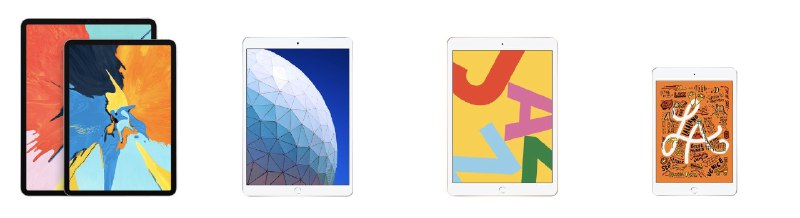
With iPadOS 27, Apple is officially dropping support for the millions of units of iPad Pro 11 (1st gen) and iPad Pro 12.9 (3rd gen), as well as tens of millions of iPad Air (3rd gen), iPad (8th gen), and iPad mini (5th gen). ([iPad shipment of 2019](https://www.macrumors.com/2020/02/04/ipad-sales-extend-apple-market-lead-q419/) alone was \~50 million.) These machines will soon become functionally useless, because:

* You cannot update Safari without updating iOS/iPadOS.
* You simply cannot install a newer version of another browser to get around this, because Apple forces all App Store browsers to use the same WebKit engine that shipped with iOS/iPadOS.
* You also cannot install another OS on iPads. As a result, as soon as websites start dropping support for the last Safari version, which from my personal experience can happen as early as in a few months, the iPads become handicapped. This is not even counting that how quickly some native iOS/iPadOS apps lose support too. I personally have an iPad whose support stopped 3 years ago and it already feels like a brick, purely because of such software constraints.

However, this is all preventable if Apple allows installing third party OSes on iPads, and all that's needed from Apple is to relax firmware signing to allow a bootloader like BootCamp or [m1n1](https://github.com/AsahiLinux/m1n1), which they already allow on MacBooks; this will be a simple server side change, without needing any hardware hacks.

# The Time is Right for Linux on iPad

**Unlike 5 to 10 years ago when the resistance from Apple may have been too strong, now is a time when the demand overrides whatever objections Apple may have, and the circumstances are surprisingly mature too, in terms of both iPad hardware and Linux support.**

I probably don't need to emphasize how RAM and SSD prices are crazy high and seriously impacting computer affordability. A 32GB DDR5 kit that sold for about $100–$200 in October 2025 now starts around $350. A $189 Samsung 9100 Pro 2TB SSD is now around [$429](https://www.tomshardware.com/pc-components/ssds/ssd-price-tracking-2026-lowest-price-on-every-m-2-ssd).

Performance of these iPads is better than most $200 laptops, new or used, today. The M1 chip made it to MacBooks and amazed the whole industry, and the iPad Pro's A12X, pretty much the direct predecessor of the M1, is also nothing short of impressive. It is about on par with the [i7-8650u](https://www.notebookcheck.net/i7-8650U-vs-A12X-Bionic_9212_10881.247596.0.html); laptops with that CPU still sell for around $200 today. It is also superior to chips like the Kompanio 520 and Intel N100, which are still commonly used in new Chromebooks today. The other non-Pro iPads have an A12 chip that has, albeit fewer cores, the same single-core performance.

On many other metrics and features, including 264 or 326 ppi pixel density, color accuracy, full sRGB or P3 color gamut, anti-reflective coating, 10-point multitouch, power efficiency, and build quality, the iPads also compare favorably with almost all $200 laptops. The iPad Pro's 600 nit brightness, 120 Hz refresh rate and four-speaker audio are, further, vastly superior to most. It's beyond outrageous that such good hardware gets locked up while computers are becoming unaffordable.

Many of these iPads do support a laptop-like form factor. They have official [keyboards](https://support.apple.com/en-us/108361) that allow them to be propped up like a laptop. Even though the official ones are discontinued, third-party replacements or even cheap generic Bluetooth or wired keyboards and mice also work fine. The iPad Pro even comes with a USB-C port that can
MacRumors Strong 10.2-inch iPad Sales Extended Apple's Global Market Lead, According to IDC Apple increased its worldwide tablet market share by 6.4 percent in the fourth quarter of 2019, thanks to strong demand for its new 10.2-inch iPad,...
Post #42269 44
I built a Wayland-native sticky notes app in Qt6/C++ – no Electron, no dependencies, single AppImage


 I got tired of sticky note apps that either don't work properly on Wayland, require a heavy runtime, or come bloated with features I don't need. So I built my own.

 Stickies is a lightweight floating notes app written in C++/Qt6 with native Wayland support (using startSystemMove / startSystemResize — no hacks).

 What it does:
  
 \- Multiple notes with rich text formatting (bold, italic, strikethrough, font color/size)
 \- PT-BR spell checking bundled directly in the binary — no dictionary packages to install
 \- Right-click on a misspelled word for suggestions
 \- Drag and resize from any edge or corner
 \- Auto-saves position, size and content
 \- Automatic backup on save (writes to .tmp first, then rotates to .bak) to survive crashes
 \- Export to HTML or Markdown
 \- System tray icon
 \- Ships as a single AppImage (\~64MB with all Qt libs bundled)

 What it doesn't do:

 \- Sync to the cloud
 \- Track anything
 \- Require an account

 It's my first serious Qt6 project. The codebase is small (\~1200 lines across 6 files), and I tried to keep it clean — happy to hear feedback on the code or features.

 GitHub: https://github.com/povman/stickies


https://redd.it/1u53rd0
@r_linux
GitHub GitHub - povman/stickies: Sticky notes app for Linux (Qt6/C++, Wayland) Sticky notes app for Linux (Qt6/C++, Wayland). Contribute to povman/stickies development by creating an account on GitHub.
Post #42268 57
I deleted Windows today...

I have been using Ubuntu for 6 months I have had some ups and downs with it, the worst problem i had was it deleting my graphics and network drivers during the updates, forcing me to fix it using older kernals, (that was the closest I was to switching back to windows) but I managed to fix that problem, I was also having problem with gaming, probably because I was using an old GTX 970, but after forcing ubuntu to use Vulkan, gaming has been perfect..

So I thought to myself, it is time to move over to linux for good, i do have a dedicated gaming PC and that is windows, but for my everyday use, Ubuntu is perfect...

https://redd.it/1u4yd6u
@r_linux
Reddit From the linux community on Reddit Explore this post and more from the linux community
Post #42266 61
Older posts →
Threads Profile ViewerView any public Threads profile without an account.Open ThreadLook →Writing with AI? Make it sound human.Metric37 rewrites AI drafts so they read naturally. Free AI detector, 1,500 words free.Try Metric37 →