TGViewer
Channel Public Channel
Linux - Reddit

Linux - Reddit

@r_linux

Stay up-to-date with everything Linux!
Content directly fetched from the subreddit just for you.

Powered by : @r_channels
Subscribers
1.08K
Photos
4.6K
Videos
207
Links
42K

Showing posts older than #41964 · Back to latest

Older Posts 20 shown
Post #41963 54
What is the most difficult distro?

I’m not a Linux nerd by any means, but I enjoy hating myself, so what’s the most difficult distro to master? I’ve heard Gentoo is difficult, and Arch as well, but apart from that I’ve only ever used Linux Mint, but I don’t think it takes much to learn how to use that.


Edit:

lfs it is thanks yal.

https://redd.it/1tl2xy7
@r_linux
Reddit From the linux community on Reddit Explore this post and more from the linux community
Post #41958 69
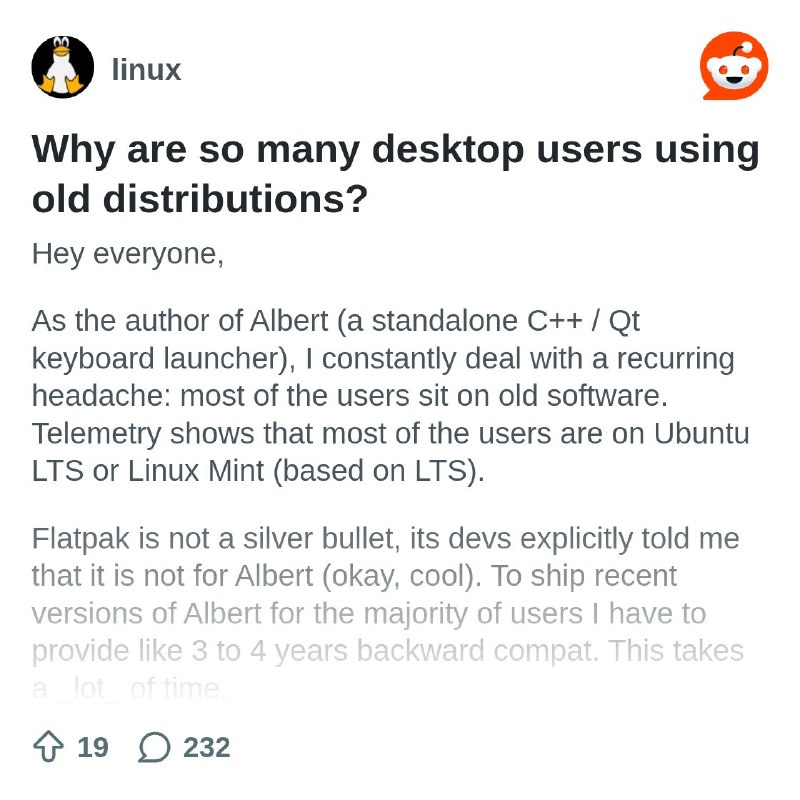
Why are so many desktop users using old distributions?

Hey everyone,

As the author of Albert (a standalone C++ / Qt keyboard launcher), I constantly deal with a recurring headache: most of the users sit on old software. Telemetry shows that most of the users are on Ubuntu LTS or Linux Mint (based on LTS).

Flatpak is not a silver bullet, its devs explicitly told me that it is not for Albert (okay, cool). To ship recent versions of Albert for the majority of users I have to provide like 3 to 4 years backward compat. This takes a _lot_ of time.

Now I wonder: why do I have to at all? Why are most users deliberately using software that is EOL or at least quite old?

EDIT:

With EOL I mean the particular packages. E.g. Ubuntu 22.04 ships Qt 6.4 which is EOL.

https://redd.it/1tkmfms
@r_linux
Reddit From the linux community on Reddit Explore this post and more from the linux community
Post #41955 57
Desktop HDR

How many of you use desktop HDR? As in just calibrating HDR and leaving it on? Iv had good results on KDE but i was curious how the community felt about it so far. Its widely subjective. I think personally i like it better than SDR on my OLED monitor. Slightly dimmer than the SDR when calibrated but more real to the eyes. Comparing this to W11 its SO much better.

https://redd.it/1tkkzns
@r_linux
Reddit From the linux community on Reddit Explore this post and more from the linux community
Post #41954 60
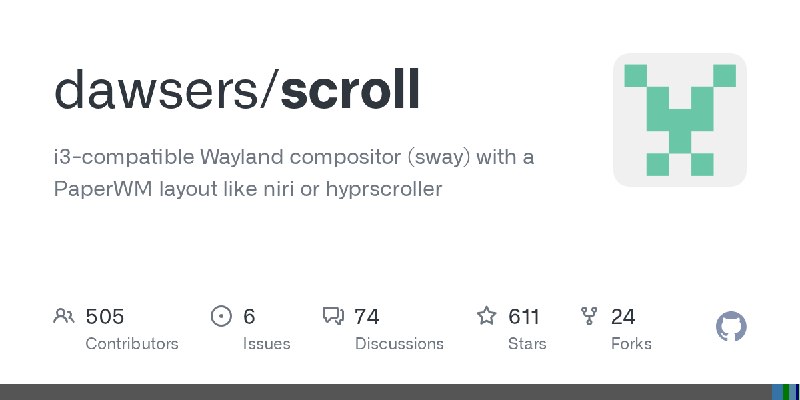
scroll wayland compositor stable version 1.12.12

*scroll* is a Wayland compositor forked from sway. scroll uses a scrolling layout similar to PaperWM, niri or hyprscroller.

scroll is mostly compatible with your sway configuration, and you can have both sway and scroll installed on your system. If you are a sway user and want to see if a scrolling layout is for you, try it.

Aside from the scrolling layout, scroll adds many new features to sway, including:

- Animations: scroll supports very customizable animations.
- scroll supports rounded borders and title bars, dimming of inactive windows, and dynamic shadows with blur.
- Content scaling: The content of individual windows can be scaled independently of the general output scale.
- Overview and Jump modes: You can see an overview of the desktop and work with the windows at that scale. There are two overview modes, one that shows all the windows on the workspace, and another one that shows all the workspaces on each monitor, both are completely interactive. The jump command allows you to move to any window with just some key presses, like easymotion in some editors. There is also a jump mode to preview and switch to any available workspace. Jump also accepts window rules (criteria), to filter and quickly jump to any window.
- Workspace scaling: Apart from overview, you can interactively scale the workspace to any scale, and continue working.
- Lua scripting: scroll provides a lua API to script the window manager.
- Several full screen modes: workspace, global, application and layout.
- Trails and trailmarks: you can define sets of anonymous marks and jump to any of them easily.
- Spaces: a space is a configuration of existing windows. Saving a named "space", you can later on recall that configuration on the same or any other workspace.
- Alignment and fitting: align windows or resize them automatically to fit certain criteria.
- Pinned windows.
- Trackpad/Mouse scrolling: You can use the trackpad or mouse dragging to navigate/scroll the workspace windows.
- Portrait and Landscape monitor support: The layout works and adapts to both portrait or landscape monitors. You can define the layout orientation per output (monitor).
- Split workspaces (virtual monitors): for ultra-wide displays, you can split a workspace in two and show them both at the same time (workspace split command).
- Optionally, minimize windows to scratchpad.

For videos and a quick explanation of the main features, check the TUTORIAL. man 5 scroll for full documentation.

https://redd.it/1tkdwqi
@r_linux
GitHub GitHub - dawsers/scroll: i3-compatible Wayland compositor (sway) with a PaperWM layout like niri or hyprscroller i3-compatible Wayland compositor (sway) with a PaperWM layout like niri or hyprscroller - dawsers/scroll
Post #41953 54
Compression and decompression of OSes

I'm not saying I'm doing this, but would it be technically possible to compress one OS while using the other when dual-booting?

Let's say I have a 500GB drive that has two partitions—250GB for Windows and 250GB for [INSERT POPULAR LINUX DISTRO\]—and when I use one, the other gets compressed, the one that I'm using is decompressed, and the partition is enlarged to fill the empty space.

https://redd.it/1tkcedy
@r_linux
Reddit From the linux community on Reddit Explore this post and more from the linux community
Post #41949 60
Meu boot Linux sumiu da BIOS

Galera preciso de ajuda! Estou na faculdade de segurança da informação e instalei o Linux mint no meu Acer aspire 5. Eu quis deixar somente o Linux na máquina então, removi o windows da BIOS e deixei somente o Linux e hoje quando fui usar o notebook o boot do Linux não existia e o computador não identifica nenhum outro, entrei na BIOS e não havia nenhum boot.

Como resolvo isso?

Perdi meus arquivos e programas?

Detalhe: eu não atualizei nada na última semana

https://redd.it/1tk15v8
@r_linux
Reddit From the linux community on Reddit Explore this post and more from the linux community
Post #41948 42
I can't install Linux on the ASUS ExpertBook B9450FA (BIOS 319): I can't switch from Intel RST to AHCI even though I've modified the EFI PchSetup variable. I need help

Hello, I tried installing Mint on my Asus B9450FA laptop (BIOS 319). I followed the instructions from Claude and Deepseek, but we weren't able to switch to RST. Additionally, I confirmed that BIOS v319 doesn't offer the option to switch to AHCI and that the vmd module isn't compatible with this hardware. I’m specifically looking for other users of the same model who have successfully installed Linux natively to learn their method.

Thanks in advance for your help.

Hardware:


Laptop: ASUS ExpertBook B9450FA

BIOS: version 319 (InsydeH2O) – latest available

CPU: Intel Core i7-10510U (Ice Lake)

Storage: 1 TB NVMe SSD (internal) – Windows 11 installed

Goal: Install Linux Mint 22.3 in dual boot (NVMe invisible under RST)

https://www.asus.com/us/laptops/for-work/expertbook/asus-expertbook-b9-b9450/techspec/


Problem in short:

The BIOS does not expose an option to switch SATA mode from Intel RST (RAID) to AHCI. Without AHCI, Linux cannot detect the internal NVMe drive. We have tried to modify the UEFI variable PchSetup directly, but the change does not persist – the firmware reverts it on every reboot.


What we did (detailed):

Preparation:

BitLocker fully decrypted on all partitions.

Fast Boot disabled in BIOS.

Secure Boot enabled (did not block UEFI Shell access).

storahci driver prepared in Windows registry (Start = 0x0).


Identified the correct byte:

Dumped PchSetup from /sys/firmware/efi/efivars/ in Linux Mint live.

The RAID/AHCI control byte is at offset 0x08 in the efivars dump (9th byte of the first line).

In the pch.bin file exported by dmpstore, the equivalent offset is 0x32 (due to a 0x30-byte EFI header).

Current value = 0x03 (RAID), target = 0x00 (AHCI).

No checksum or interdependency found in the full dump.


Attempted modification:

Used dmpstore in UEFI Shell (Ventoy USB) to export PchSetup to pch.bin.

Edited pch.bin with PowerShell (also tried HxD) – changed byte at offset 0x32 from 0x03 to 0x00.

Used a second script (startup2.nsh) to re-import the modified pch.bin into NVRAM (dmpstore -l).

Verified after reboot: the byte in efivars is still 0x03 – the change did not persist.


What we ruled out:

No hidden SATA mode option in BIOS (confirmed by ASUS support docs and binary analysis).

No vmd module needed (Ice Lake does not use Intel VMD; that is for Tiger Lake+).

No obvious checksum or write protection error message – dmpstore -l succeeded without errors, but the firmware silently overrides the value.


Collaboration:

Two AI assistants (DeepSeek and Claude) worked together on this. DeepSeek guided the step-by-step procedure, Claude acted as quality control and cross‑checked each technical decision. Both confirmed that the firmware actively rejects writes to this variable – likely a deliberate lock by ASUS.


Current status:

Windows 11 still works normally (RST mode).

Linux Mint live still cannot see the NVMe.

No data loss or hardware damage.

Questions for the community:


Has anyone successfully switched an ASUS ExpertBook B9450FA (or similar InsydeH2O laptop) from RST to AHCI? If so, how?

Is there any known hidden EFI variable or alternative method (e.g., setup_var, ru.efi, or a specific BIOS key combination) that works on this model?

Could a BIOS mod (like unlocking hidden menus) be a feasible last resort?


Thank you very much in advance. Any insight is appreciated.

https://redd.it/1tk1a3n
@r_linux
Asus ASUS ExpertBook B9 B9450 - Tech Specs|Laptops For Work|ASUS USA Detailed specification of ASUS ExpertBook B9 B9450 Tech Specs,Color:Star Black、Color:Star Black、Color:Star Black、Operating System:Windows 11 Pro - ASUS recommends Windows 11 Pro for business, Free Upgrade to Windows 11¹ (when available, see below)、Operating…
Post #41947 43
Share your Linux swag

I had the pleasure in the early 2000s of attending a LinuxWorld Conference and Expo at the Moscone Center in San Francisco. It was insane how many people and companies were there.

A photo of some of the swag I came home with is attached. Can't beleive I've still got these after almost 25 years. I also had a polo shirt from IBM (for AIX) and a T-shirt with "Linux Inside" on the front, but these wore out years ago.

Show us your swag...

https://preview.redd.it/c5ifi7lc8k2h1.jpg?width=4032&format=pjpg&auto=webp&s=98008eb05b2e8741f74e18905d0b4b454f65594f


https://redd.it/1tjz36n
@r_linux
Post #41946 41
AMD VIDEO CARD SERIES R7 GCN 1.0/1.1 Thermal Regression

Testei as temperaturas ociosas da série AMD R7 no Linux Mint Cinnamon 22.3 6.1 → 7.0. Encontrei uma **excesso de 16°C no HWE 6.17 (56°C vs 40°C)**, corrigido na versão 6.19. Isso se correlaciona com o amdgpu se tornando o padrão para GCN 1.0/1.1 no Linux 6.19 — provavelmente um bug do DPM que foi detectado e corrigido durante essa transição.

# A Descoberta

Passei semanas testando a temperatura ociosa da GPU em diferentes versões do kernel na minha AMD R7 Series (GCN 1.0, die Bonaire — igual à R7). Eis o que apareceu:

* **6.8 → 6.14**: Estável a 40°C
* **6.17**: Pico para 56°C (16°C mais quente, mesmo hardware, mesma configuração)
* **6.19 → 7.0.1**: De volta a 40°C \[Usei xanmod e mailine para alterar o kernel\]

# Por que isso importa

Não configurei o driver, deixei-o nativo, então, das versões 6.8 e 6.17, ele permaneceu com o driver Radeon nativo. No Linux 6.19 e 7.0, o **amdgpu tornou-se o driver padrão para GCN 1.0/1.1**.

No kernel 6.17, forcei o driver amdgpu, mas isso não fez diferença na temperatura, o que me leva a crer que o problema era o kernel.

**O que descobri**: A regressão no 6.17 foi quase certamente uma mudança no agendamento do DPM *preparando* para essa mudança para amdgpu-default. E foi **corrigida entre o 6.17 e o 6.19** — provavelmente como parte do mesmo esforço para fazer o GCN 1.0 funcionar bem como padrão.

# Metodologia

* **Hardware**: Linux Mint Cinnamon 22.3, AMD R7 240 - 370 2GB, mesma configuração de sistema em todos os testes
* **Isolamento**: Alterei apenas a versão do kernel, reiniciei entre cada teste e esperei mais de 15 minutos para a estabilização térmica
* **Métrica**: `@ Sensors` em repouso
* **Reprodutibilidade**: Isso é repetível — qualquer pessoa com uma placa GCN 1.0 pode verificar

# A implicação para mim:

Como usuário de placas gráficas AMD GCN 1.0/1.1 mais antigas (R7 260, R9 290, R9 390, etc.):

Evitei a versão atual do kernel do Mint > 6.17: Ela introduziu um problema térmico Há um bug de gerenciamento no meu hardware, então fiz um downgrade para a versão 6.8 e vou deixá-la assim até que um kernel compatível apareça no repositório do Mint.

https://redd.it/1tjy5z0
@r_linux
Reddit From the linux community on Reddit Explore this post and more from the linux community
Post #41944 46
Project Tick Launch: An Independent, Self-Hosted Umbrella Organization Offering Free GitLab Infrastructure for Open Source Projects (No Enterprise AI, No GitHub SaaS Limitations)

Hello r/linux,

Like many independent developers here, I've become frustrated by the increasing institutionalization of the open-source ecosystem, the limitations of GitHub SaaS, and the aggressive imposition of AI tools on every development pipeline.

With the goal of creating a safe, independent haven for open-source software, I founded Project Tick, a fully self-hosted, non-enterprise umbrella.

We've migrated all our infrastructure to a self-managed GitLab Ultimate instance via a custom Ruby on Rails orchestration bot (Foreman).

Opening Our Infrastructure to Independent Projects:

We have a good amount of resources and automated tools, with some assistance from GHA. Instead of just hosting our core projects (like MeshMC or MNV), we want to host your independent projects for free and provide enterprise-level infrastructure without sacrificing your freedom.

Our Golden Rules for External Projects:

We believe in developer sovereignty. If you bring your project under the Project Tick umbrella:

* Complete Creative Freedom: We will NEVER interfere with your project's programming language, branding, logo, or architectural choices. Your project will remain yours.

* No AI Restrictions for You: While Project Tick's core internal tools have strict AI usage limits, external projects are free to use AI tools as they see fit. The "Assisted-by" tag is NOT mandatory for you.

* Legal Protection (DCO and CLA): To keep the code legally clean, "Signed-off-by" (DCO) is mandatory for all commits (enforced by our MR bot). A CLA will be required, but this is clearly designed to protect you (the project maintainer), not us.

* SSO Integration: Your contributors and users can seamlessly use our Keycloak-powered SSO (id.projecttick.net) with GitHub, GitLab SaaS, Google, or Microsoft OAuth. And you can log into our GitLab instance with your username and password as is (no SSO).

Seeking Feedback and Early Projects:

If you're running a standalone open-source tool, utility, or desktop application and are tired of GitHub but want to use GHA, or are looking for a self-hosted free GitLab hub:

1. What are your thoughts on this infrastructure-focused umbrella model?

2. What are the biggest obstacles preventing you from moving away from GitHub SaaS today?

Let's talk in the comments. If you're interested in getting involved, you can check out our setup or contact us!

https://redd.it/1tjtj6v
@r_linux
Reddit From the linux community on Reddit Explore this post and more from the linux community
Older posts →
Threads Profile ViewerView any public Threads profile without an account.Open ThreadLook →Writing with AI? Make it sound human.Metric37 rewrites AI drafts so they read naturally. Free AI detector, 1,500 words free.Try Metric37 →