TGViewer
Channel Public Channel
Linux - Reddit

Linux - Reddit

@r_linux

Stay up-to-date with everything Linux!
Content directly fetched from the subreddit just for you.

Powered by : @r_channels
Subscribers
1.08K
Photos
4.6K
Videos
207
Links
42.1K

Showing posts older than #41864 · Back to latest

Older Posts 20 shown
Post #41863 61
Making Our Own Fate: Dakota Alpha 2

Update on Bluefin Dakota which is based on GNOME OS.

Money quote:

> But we are a forcing function - the dinosaurs are there to remind us that only the best survive the harshest ecosystems. This is especially true in the resourced starved Linux desktop ecosystem. We will continue to push. Some software is not going to make it. See you in the trenches, thanks!

It's a long read but worth it!

Also, Jorge Castro will have a talk at Linux App Summit on Sunday about pieces of this post make sure you catch that. (see another post on linuxappsummit)

edit forgot to add the link - https://docs.projectbluefin.io/blog/making-our-own-fate/

https://redd.it/1te5xfe
@r_linux
docs.projectbluefin.io Making Our Own Fate: Dakota Alpha 2 | Bluefin The Final Shape is here...
Post #41862 52
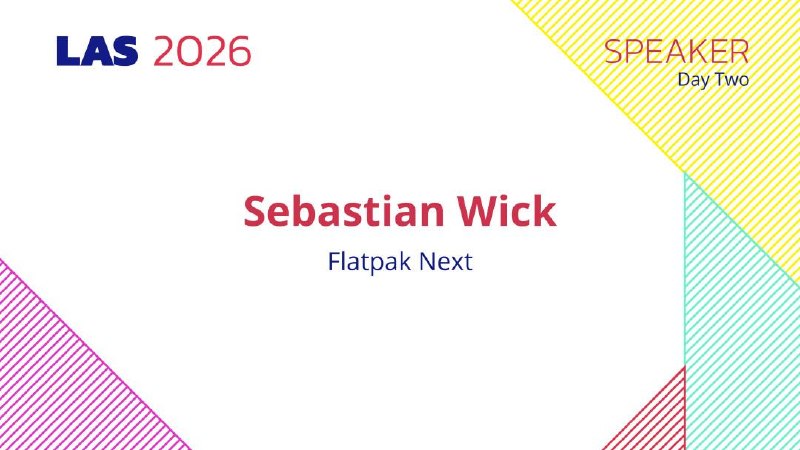
Linux App Summit starts tomorrow! (Berlin time) (May 16-May 17)

Those of you in a friendly western european time zone - this year's Linux App Summit starts tomorrow with Lennart Poettering as our keynote speaking. Other great talks over the weekend will be a status update on flatpak, various talks on infrastructure, and local-first applications. Plenty of great content for those wanting to know what's happening with apps and games on the Linux platform.

We'd love to see a lot of online registrations, there is no cost for registration - so please head over to https://linuxappsummit.org/ and register online for the conference!

Looking forward to seeing you all there!


https://redd.it/1te49tc
@r_linux
linuxappsummit.org Linux App Summit The Linux App Summit (LAS) is designed to accelerate the growth of the Linux application ecosystem by bringing together everyone involved in creating a great Linux application user experience.
Post #41861 56
Setup for elementary age kids

So I am looking to set up my kids first computer and looking for ideas or user experiences with kid-centric distros. My kid is in 1st grade and has used a Chromebook in school (though it sounds like he isn't really interacting with ChromeOS, and is usually in some application/platform that the school uses for a bunch of subjects). I run Debian with KDE on my desktop and laptop and a debian based server at home.

I want something relatively locked down or with decent parental controls. I've found a bunch of recommendation articles and videos but most are a decade old, recommending long abandoned distros, or are geared toward high school and college age.

Has anyone found a decent kid-centric distro that isn't abandoned or should I just manually set up a locked down Debian system myself? If you've used some, what was your experience?

https://redd.it/1tdzwb9
@r_linux
Reddit From the linux community on Reddit Explore this post and more from the linux community
Post #41860 47
Post #41859 45
Thank You Linux Community!

I just want to thank the whole community for providing such a valuable, useful, revolutionary and in some ways sacred experience for free. I used Ubuntu over a decade ago for a few years but was gifted a macbook and kind of slowly stopped using my Linux computer. I recently decided enough was enough and got back on the open source train. While I've been getting used to using linux again I have found so many helpful people and posts and videos all over the internet. I've also seen and heard many beautiful explanations of why human rights are something separate from political biases. I came for the kernel and software but I'm staying for the community values. Thank you Linux community for providing me with a safe harbor of like minded people during this strange and scary time. And for giving me the plans and materials to build an awesome boat (my computer). The one place I can always be assured that everything will make sense. That's a nice little reset for my brain at the end of each day. Things work the way they are supposed to for a brief change and that helps me get reoriented to take on whatever crazy stuff the world throws at us the next day.

https://redd.it/1tdt4p8
@r_linux
Reddit From the linux community on Reddit Explore this post and more from the linux community
Post #41858 46
How come some of the core Linux projects are missing maintainers?

I was playing around with my fingerprint reader today and landed on [linux-pam/linux-pam (#301)\](https://github.com/linux-pam/linux-pam/issues/301), where you can read that proper implementation of \\`any\\` directive is impossible simply due to missing manpower.

How come such a core project as PAM is missing manpower? Most of the big distros (if not all) are using PAM and the man behind it doesn't have enough time for it. Does he even have time to address new vulnerabilities popping up? Why is it even a single man operation? What are the distros planning to do when he's not capable of maintaining it anymore?

It seems so weird that something so core to modern Linux is left by itself to wither.

https://redd.it/1tdrfnj
@r_linux
GitHub Parallel or "any" PAM modules · Issue #301 · linux-pam/linux-pam There are more and more module now that "add" confidence to authentication or can even shortcut other methods. I'm talking about fingerprint (with libfprint) or face recognition (with...
Post #41857 48
Linux Mobile OS Developers Forget Mobile Isn't Desktop

Watched The Linux Experiment's latest video, and it drove me to check other Linux mobile OS projects. Honestly, my only reaction was disappointment at the way Ubuntu Touch, Plasma Mobile, and PostmarketOS all make the mistake of treating mobile like it's a desktop. I've used many phones in my life (currently a Samsung S Ultra), and I have noticed how much bottom-centric and one-handed friendliness improved my experience. Linux developers who work on mobile OS projects genuinely miss this aspect of mobile, which, to be fair, everyone else in the Android and iOS ecosystems mess up too. They really need to start treating mobile as different hardware with different I/O; otherwise, even actual Linux enthusiasts might be put off by the terrible experience.

https://redd.it/1tdpcrm
@r_linux
Post #41856 55
I have never used windows

The first OS I touched was ChromeOS, first real OS was Debian 12 in a VM inside of a container (crostini). This was all before I could even think of getting another computer. I can barely even remember why I turned on crostini, probably for programming because I was interested in it at the time & I still am.

When I did get a new computer just recently, it was on windows, locked to Chinese through the license (I got the laptop from China), but I was already intending to install Gentoo after having installed Gentoo on an old 15 year old windows computer lying around. So Linux was kind of a no-brainer for me, as can't use Chinese windows, & using windows is like transitioning to Linux for the normies, also, I was already engrained in the Linux environment, I loved Niri, even on the old 15 year old laptop.

Just wanted to share my story, more or less.

https://redd.it/1tdqewc
@r_linux
Reddit From the linux community on Reddit Explore this post and more from the linux community
Post #41852 59
Post #41848 56
remove the # and save file. You will now see your battery % on your desktop. Now you're done!

Continue reading for setting up theme, scaling, touchpad and fonts ...

Now I recommend that you scale up your fonts DPI in your control centre. I have mine set at 1.17:

This is my dpi settings 15' laptop

My other settings for Look and Feel:

Redmond and change font to Ubuntu regular size 11

Full hinting; but you could also try slight or medium. Try whats best for you.

Select default theme

And for my touchpad mouse sensitivity. Go to Control Centre -> Hardware -> Mouse -> Select touchpad(rolldown menu) -> then a window like this will pop up. Remember to check mark before Applying:

Touchpad mouse sensitivity

ROXTerm font. Go to Preferences -\> Configuration Manager -\> Select Default, press edit -\> Font: Noto Mono Regular, Size: 11

Extra tip 1: Firefox default scaling is set to 110% in the settings, but personal preference.

Extra tip 2: Shortcut for taking a screenshot is FN+S on my keyboard. Could be different on your laptop.

This was very fun; will be my main distro on my laptop. Everything just works. No fuzz. Sharp fonts, sharp theme, bluetooth-audio on my headset, wifi and low ram usage! :)

https://redd.it/1td581l
@r_linux
Post #41847 48
AntiX26 Linux Wifi setup + Kernel 7.0.4 install guide Lenovo Ideapad Slim 3

Default theme, zzz-icewm, redmond and ubuntu regular size 11 fonts. 112% scaling. 15' screen laptop.

I installed the Linux kernel v7.0.4 after I installed AntiX26 to get my wifi up and running. Lenovo Ideapad slim 3; modern laptop, but a little weak. I'm very happy with my setup;

I had to boot the live image with kernel v6.x.x just to get my keyboard working. But after the main install of the Antix26 system, I then installed kernel v7.0.4.

This is how I did it; follow these steps to get wifi + kernel 7.0.4:

(before you start, make sure that your wifi card is not soft-blocked(Airplane mode): type in your terminal: rfkill list, if its blocked try to unblock by: sudo rfkill unblock all, or the shortcut for airplane mode on your keyboard. Is your wifi working now? if not, continue. )

1. Find a way to connect to the internet. I had to use internet through USB-cable from my Phone.
2. Install the firmware-mediatek driver, by typing this in the terminal: sudo apt install firmware-mediatek, then reboot. But just to be sure you can also install: firmware-misc-nonfree and/or firmware-linux-nonfree. Check what kind of wifi card you have. Google Ai is very helpful finding out stuff for you, and what kind of drivers you need to install. (at this step you can try a reboot your laptop and see if you can get wifi working, if not continue to next step.)
3. Then install the linux-image-7.0.4+deb13 from the debian backports, it should also install the dependencies for you, so please check that before you continue. After the new kernel is installed, write in the terminal: sudo update-grub, now you can reboot into your fresh kernel and wifi should be working.

linux-image-7.0.4+deb13 \<your cpu type\>, please double check that it also installing dependencies. It should do it for you. Remember sudo update-grub after the install.

(firmware-mediatek did not work for me while using kernel 6.x.x, but after the 7.0.4 update wifi started working.)

Quality of life, 100% screen brightness after every reboot and fix screen tearing:

.desktop-session, startup file. This is what it looks like at the bottom. Continue reading for where to find it:

I also added these two lines at the bottom of my startup config file. You will find it in Control Centre -> Session -> Users Desktop-session ( text file from .desktop-session, startup.) Remember to save after changes:

backlight-brightness -s 100 &

xrandr --output eDP --set TearFree on &

One is to get 100% backlight on my laptop after every reboot so I dont have to adjust it every time, and the other one is for removing screen tearing. But before you add xrandr to your startup file: run xrandr in the terminal to check if you have eDP or some other screen type. Terminal command: xrandr <press enter>. Just place your screen type instead of eDP in the startup command as I have written above. Remember to save your file and reboot. This is my screen type from the terminal:

https://preview.redd.it/6gkmcpy41y0h1.jpg?width=761&format=pjpg&auto=webp&s=0c24a067191a6409350d7092d188d4162914159c

To check if TearFree is running after a reboot, just write in your terminal: xrandr --verbose | grep TearFree .. it should say TearFree: on, and you should notice it when you scroll up and down on websites that screen tearing is gone.

Quality of life 2, show battery info:

Now you have to open another text file!

If you want to see your battery %, just open Control Centre -> Configure Conky -> And find the line that says something like this (should be at the bottom):

\#Battery: ${battery_percent BAT0}% ${alignr}${color8}${battery_bar 8,70 BAT0}

... and just
Post #41845 57
waybound: wayland hot corners and edges

hey all, just released waybound!

it's a small wayland util that stays out of the way until you hit a boundary, then runs the command you configured ;) jk

it supports different commands per boundary, corners and edges, toml config with xdg fallback, and a debug mode that shows the active boundaries. it uses direct wayland client bindings rather than a larger ui toolkit, and the hot zones are simple overlay surfaces on top of the compositor, so the process stays quiet until a boundary is hit. idk if this is the least resource intensive way to do it

the idea is loosely inspired by the simplicity of macos hot corners, but with configurable boundaries and different behaviors per boundary

- repo: https://github.com/ralphptorres/waybound
- aur: https://aur.archlinux.org/packages/waybound

feedback is very much welcome!

https://redd.it/1td1786
@r_linux
GitHub GitHub - ralphptorres/waybound: hot boundaries (corners and edges) for wayland hot boundaries (corners and edges) for wayland. Contribute to ralphptorres/waybound development by creating an account on GitHub.
Older posts →
Threads Profile ViewerView any public Threads profile without an account.Open ThreadLook →Writing with AI? Make it sound human.Metric37 rewrites AI drafts so they read naturally. Free AI detector, 1,500 words free.Try Metric37 →