TGViewer
Channel Public Channel
Linux - Reddit

Linux - Reddit

@r_linux

Stay up-to-date with everything Linux!
Content directly fetched from the subreddit just for you.

Powered by : @r_channels
Subscribers
1.09K
Photos
4.6K
Videos
207
Links
42.1K

Showing posts older than #41784 · Back to latest

Older Posts 20 shown
Post #41782 49
Quick update on Mend: Hardware scanner added and database expanded

Hi all,

Just a quick heads-up on the progress with Mend. I’ve just pushed an update that includes the hardware scanner.

What’s new:

\- Expanded Scan: The utility now picks up Audio, Ethernet, and USB/Bluetooth controllers.

\- Distro Support: Added package mapping for pacman, apt, dnf, and zypper.

\- Updated DB: Included the hardware IDs shared in the previous threads (Intel Cannon Lake, Renoir, etc.).

If you want to test it out, the scan command is mend -s. It’ll cross-reference your kit and suggest the right packages via fzf.

If anyone has a spare second to run lspci -nn | grep -E 'VGA|3D|Network|Ethernet|Audio|USB' and drop their output below, I’ll get those IDs added to the database as well.

Cheers for the help so far.

GitHub: https://github.com/Rakosn1cek/mend

https://redd.it/1t9mfbi
@r_linux
GitHub GitHub - Rakosn1cek/mend: A modular, lazy-loaded recovery tool for Linux. Instead of manually searching wikis when a command fails… A modular, lazy-loaded recovery tool for Linux. Instead of manually searching wikis when a command fails, Mend uses fzf to resolve package conflicts, map missing libraries, and clear database locks...
Post #41781 50
Post #41777 52
Post #41772 50
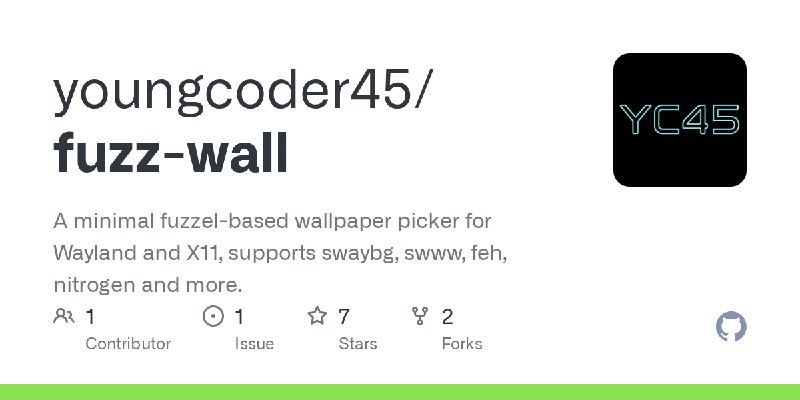
OC I made a minimal fuzzel-based wallpaper picker that works on any WM fuzz-wall

Hey everyone,

I wrote a small POSIX shell script called fuzz-wall that lets you pick wallpapers interactively using fuzzel's dmenu mode. I wanted something dead simple that worked regardless of which WM or wallpaper setter I was using, so I built it.

What it does

You run fuzz-wall, fuzzel opens with a list of your wallpapers, you pick one, it gets applied. ESC to exit. No config file, no GUI, no bloat.

Supported wallpaper setters

\- swaybg (Sway)

\- swww (Hyprland, with fade transitions)

\- hyprpaper (Hyprland)

\- feh (i3, bspwm, dwm)

\- nitrogen (openbox, bspwm)

\- xwallpaper (general purpose)

The script auto-detects which one you have installed. On Wayland it prefers Wayland-native setters, on X11 it falls back to X11 setters.

Configuration

There is only one option, the wallpaper directory. It defaults to \~/Pictures/wallpapers and can be overridden:

FUZZ_WALL_DIR=\~/Pictures/walls fuzz-wall

You can bind it to a key in your WM config:

\# Hyprland

bind = $mod, W, exec, fuzz-wall

\# Sway

bindsym $mod+w exec fuzz-wall

\# i3

bindsym $mod+w exec fuzz-wall

Install

It is on the AUR:

```paru -S fuzz-wall

yay -S fuzz-wall```

Or clone manually and copy to \~/.local/bin.

Source: https://github.com/youngcoder45/fuzz-wall

AUR: https://aur.archlinux.org/packages/fuzz-wall

This is an AUR package. Happy to hear feedback, bug reports, or suggestions for new wallpaper setters to support. If your WM or setter is not listed, open an issue and I will add it.

https://redd.it/1t96au5
@r_linux
GitHub GitHub - youngcoder45/fuzz-wall: A minimal fuzzel-based wallpaper picker for Wayland and X11, supports swaybg, swww, feh, nitrogen… A minimal fuzzel-based wallpaper picker for Wayland and X11, supports swaybg, swww, feh, nitrogen and more. - youngcoder45/fuzz-wall
Post #41771 49
Use of AI to increase Linux support?

I saw a post video of a random non technical Italian YouTuber that had achieve an amazing goal, write some drivers for Samsung Galaxy Book4 Edge and he got Linux running on this machine.

He didn't know how to do these, but he use an ai agent (warp, if I remember correctly) to help him. He published this progress on github.

My question is: with increasing of ai accessibility for normal people, will development of Linux become more "easy"? How much work will be done?

https://redd.it/1t96uki
@r_linux
Post #41770 52
Is there any tool to manage cloud style backups and restore?

Hey guys. I have had to do some infra duties as there's no one else available and I have been doing pg dump, pg restore for our postgres and just a pure rsync for server backups. Running through a cron. I know there's other cli tools exist like pgbackrest and borg.

But was wondering if there's something that gives you a dashboard of sorts. Where it's like one click scheduled backup jobs u set a retention policy, see existing backups (delete if needed) and one click restores as well for drive and db. It would be way more convenient. And you can point it to your own s3 or something.

I was considering managed postgres for us but I realised setting up postgres in a docker is dead easy. It's mainly backups and restore that I wanted to pay cloud for. So maybe if there's some tool out there that does that reliably, would be great. Either open source self hostable or paid with a reasonable sub fees. I was looking around and found databasus and snapshooter by digital ocean. But maybe something better out there. Thanks.

https://redd.it/1t945d2
@r_linux
Reddit From the linux community on Reddit Explore this post and more from the linux community
Post #41768 55
I’ve spent the last few months trying to solve a problem that’s always bothered me: the trust gap in sharing CLI tools

https://preview.redd.it/uca6em9nh90h1.png?width=1191&format=png&auto=webp&s=d089af44e7cd4e78de84ada375d2730f0affc455

If you build a web app, you just share a URL. People click it, play around for five seconds, and decide if they like it. But sharing a CLI tool means asking people to download a binary and run it on their system. It's a huge leap of faith. Because of that friction, I’ve seen so many incredible tools get ignored simply because developers rightfully don't want to risk their local environments on something new.

I wanted to fix that. I love asciinema, it's the gold standard for showing what a terminal can do. But watching a recording isn't the same as actually typing the commands yourself. I wanted to build a way for audiences to safely "touch" a CLI tool without the risk of a local install.

The technical side was a real struggle. I didn’t want to run expensive, heavy VMs on a server; I wanted everything to happen on the client side. But browsers aggressively throttle iframes for safety. When I started, booting a machine took a devastating 1 minute and 20 seconds. After a lot of late nights fighting that throttling, I finally managed to get the boot time down to under 3 seconds on most devices.

One part of the execution I’m really proud of is how it handles tutorials. I hate when interactive guides feel cramped in a tiny window, so I built a concept called "Super Projects." You can have different chapters or steps in a guide, but they all stay connected to the exact same underlying VM. You can move through a complex project naturally without losing your state.

Just a heads-up: I’m the sole developer behind this tool, SWACN. I’ve poured a lot of heart (and caffeine) into it, so there are definitely going to be some rough edges I haven't caught. For instance, there’s no network access in the VM right now. Adding that introduces a massive layer of complexity for keeping things isolated and safe, but if it's something people really need, I’m open to figuring it out.

SWACN is already approved by Iframely, so you can actually drop these directly into Notion or Gitbook right now. I’m just excited to finally show this to someone, and I really hope it makes sharing terminal knowledge a bit easier.

The tool: https://swacn.com 
An example: https://swacn.github.io/showcase/

https://redd.it/1t902qg
@r_linux
Older posts →
Threads Profile ViewerView any public Threads profile without an account.Open ThreadLook →Writing with AI? Make it sound human.Metric37 rewrites AI drafts so they read naturally. Free AI detector, 1,500 words free.Try Metric37 →