https://github.com/ravindu644/Droidspaces-OSS
CI: @DroidspacesCI
Post #277
618
Droidspaces [ Explanation ] @Droidspaces
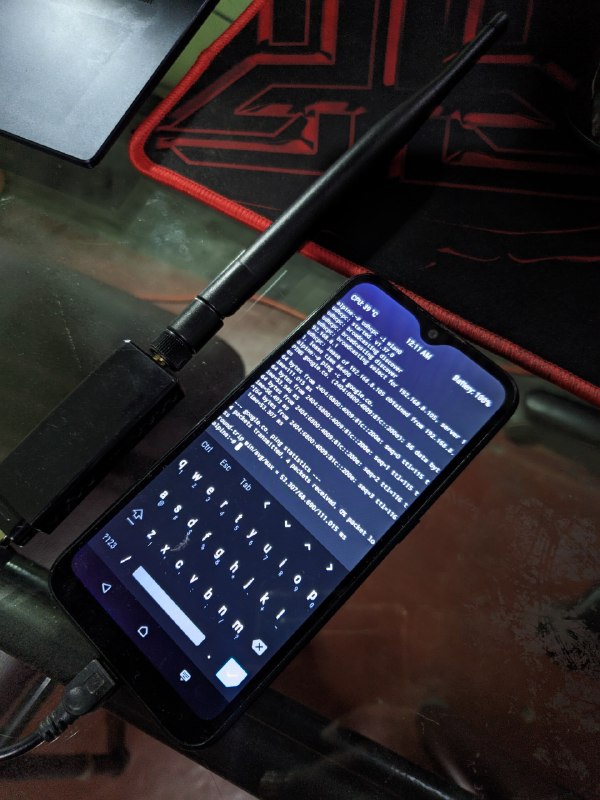
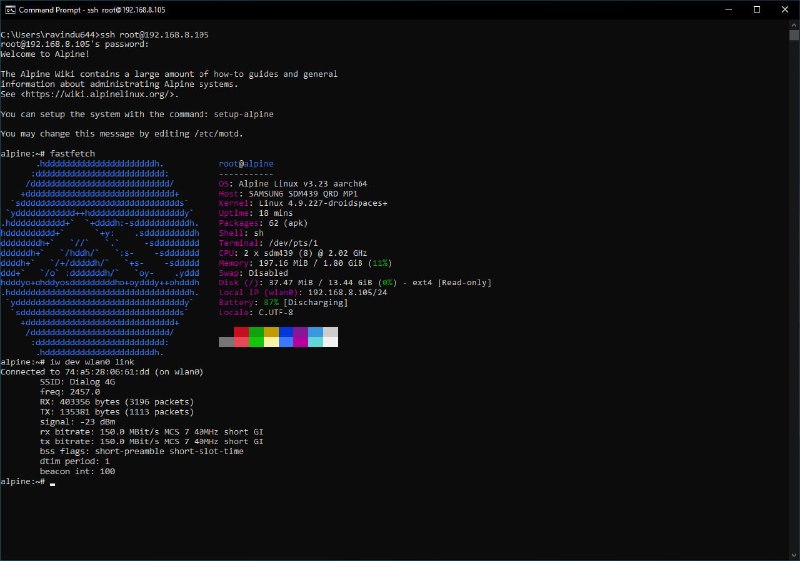
Final update for the ~200MB RAM Galaxy A01 Droidspaces setup 🗿
The key difficulty with this setup was that you had to hold the recovery key combination every time you wanted to enter TWRP, manually type Droidspaces CLI commands to start the container, and if the phone was plugged into a charger while powered off - it would bootloop forever since there's no Android left to show a charging animation.
Here's how I solved all of that:
- Flashed recovery.img directly to the boot partition, making the device boot straight into TWRP by default; no key combos needed
- Since flashing to the boot partition means Android's init now executes TWRP's init binary on charger detection, I patched TWRP's main init.rc to trigger a clean reboot whenever a charger is connected while the device is powered off, which boots straight into TWRP
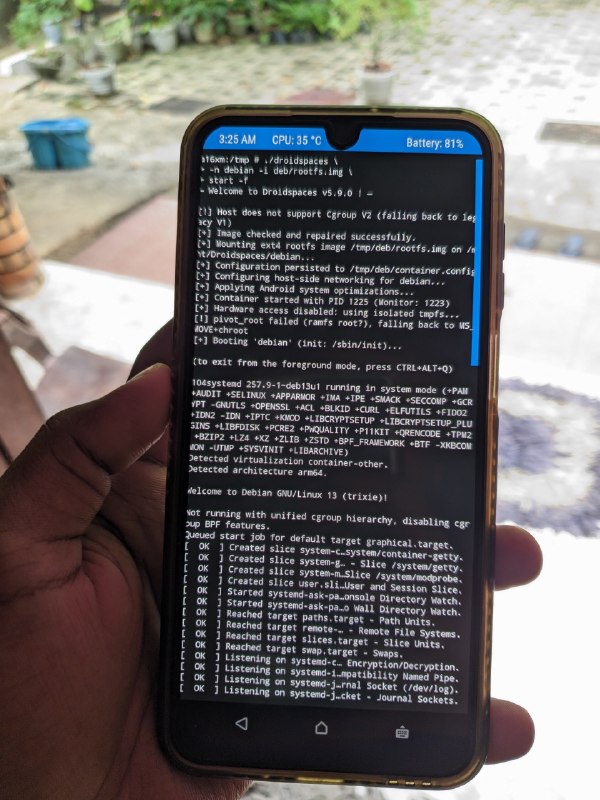
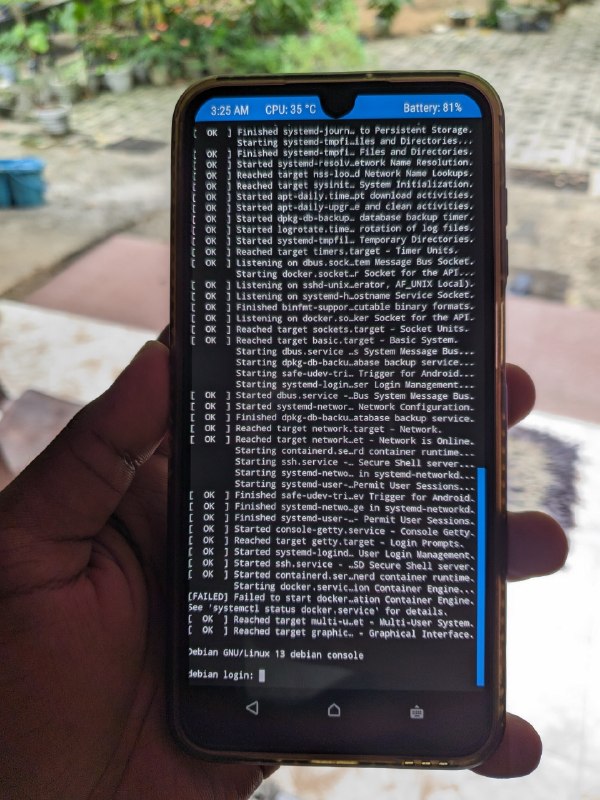
- Wrote a simple init.rc service called "alpine" that automatically starts the Alpine Linux container right after the Droidspaces daemon is ready - meaning Alpine boots automatically as part of the TWRP boot sequence
- Wrote an OpenRC service that watches for the wlan0 interface, brings it up, connects to the WiFi network, and assigns an IP - running as a daemon forever, handling hotplug and reconnection automatically
Final result: a fully functional Raspberry Pi-like device that powers on the moment a charger is detected, auto-boots Linux, and fires up SSH, Tailscale, and WiFi - all with only ~200MB of RAM usage.
This is what I call a proper server 🗿
[ Demonstration, init Script ]
@Droidspaces
The key difficulty with this setup was that you had to hold the recovery key combination every time you wanted to enter TWRP, manually type Droidspaces CLI commands to start the container, and if the phone was plugged into a charger while powered off - it would bootloop forever since there's no Android left to show a charging animation.
Here's how I solved all of that:
- Flashed recovery.img directly to the boot partition, making the device boot straight into TWRP by default; no key combos needed
- Since flashing to the boot partition means Android's init now executes TWRP's init binary on charger detection, I patched TWRP's main init.rc to trigger a clean reboot whenever a charger is connected while the device is powered off, which boots straight into TWRP
- Wrote a simple init.rc service called "alpine" that automatically starts the Alpine Linux container right after the Droidspaces daemon is ready - meaning Alpine boots automatically as part of the TWRP boot sequence
- Wrote an OpenRC service that watches for the wlan0 interface, brings it up, connects to the WiFi network, and assigns an IP - running as a daemon forever, handling hotplug and reconnection automatically
Final result: a fully functional Raspberry Pi-like device that powers on the moment a charger is detected, auto-boots Linux, and fires up SSH, Tailscale, and WiFi - all with only ~200MB of RAM usage.
This is what I call a proper server 🗿
[ Demonstration, init Script ]
@Droidspaces
- 🔥 13
- ❤ 6
- 🗿 2
- 🥰 1
- 💩 1