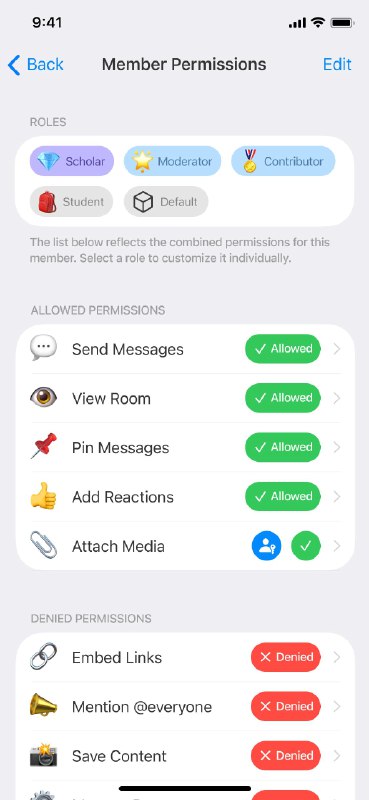
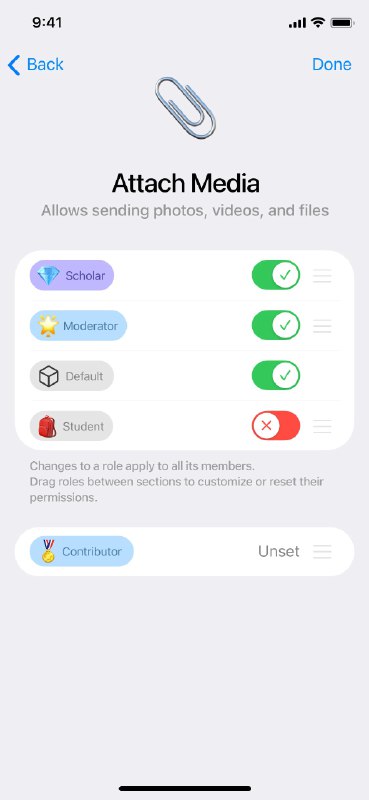
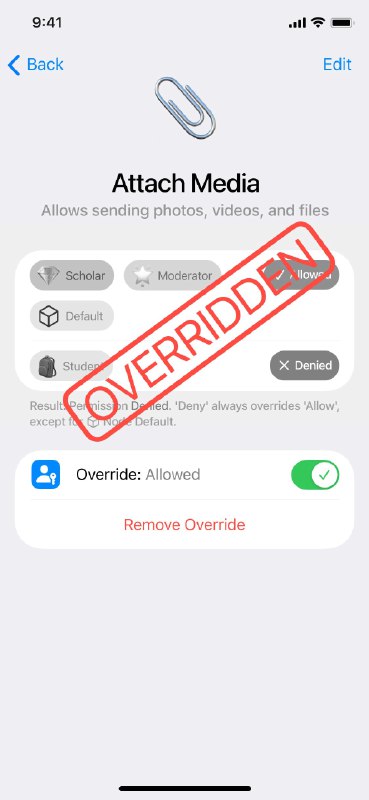
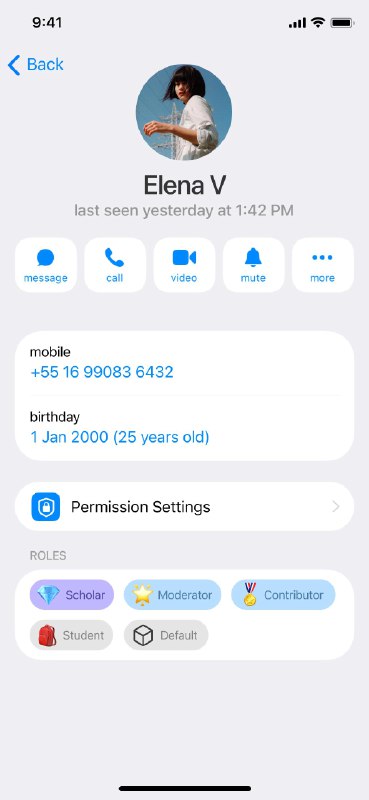
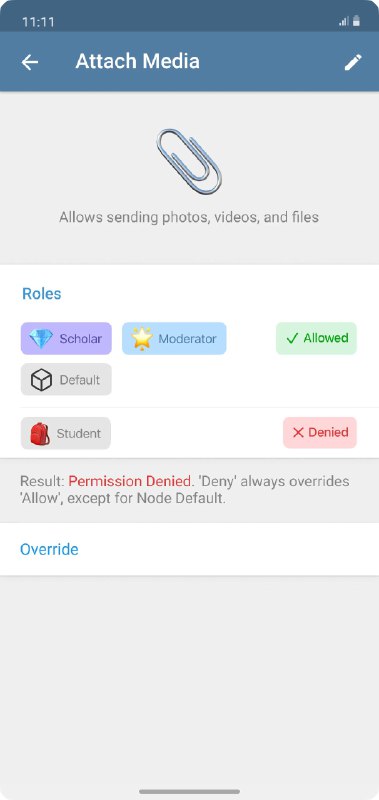
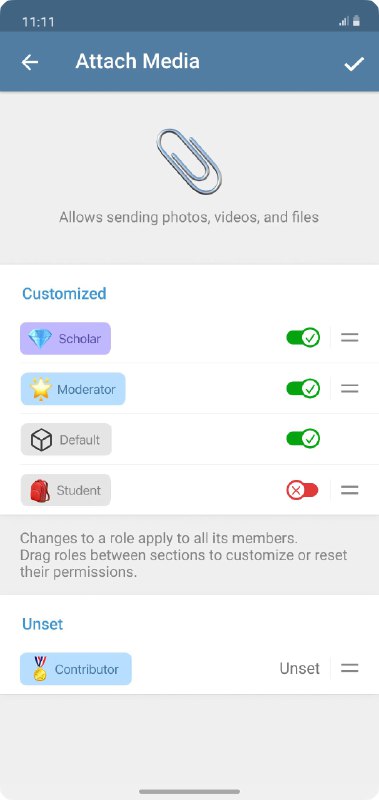
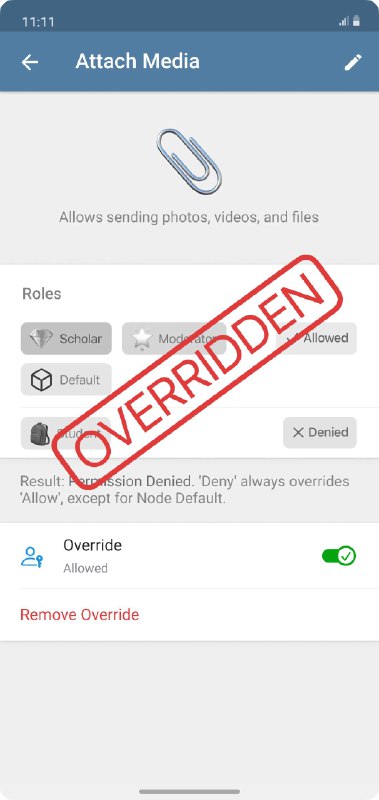
Permission System: Granular Control You can manage permissions by tapping on a member’s avatar: • Role-Based Management: A member's capabilities are defined by their combination of roles. Adding or removing roles instantly updates their access. • Deep Dive (e.g., Attach Media): Tapping a specific permission reveals a breakdown of all roles assigned to the member and their status (Allowed, Denied, or Unset). • Note: Editing a role's status here is global—it affects all members who hold that role. • Exceptions: Simply use "Override" to grant specific privileges to an individual member, bypassing role restrictions. • Room-Specific Settings: Custom permissions can also be configured per room (disabled by default for simplicity).
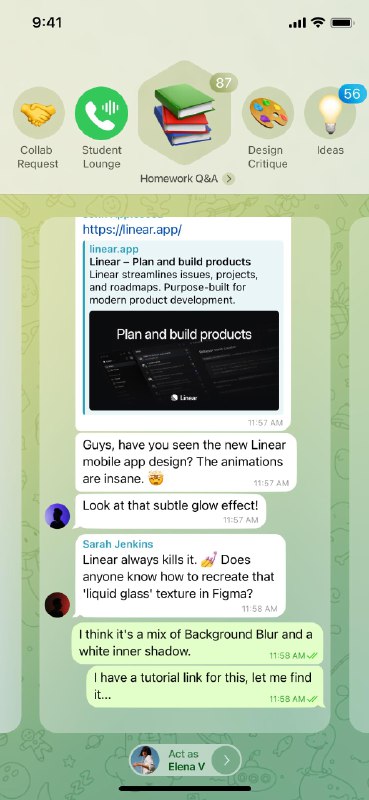
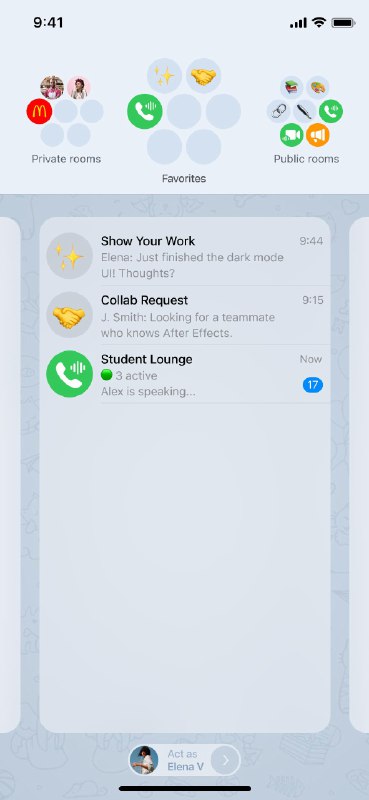
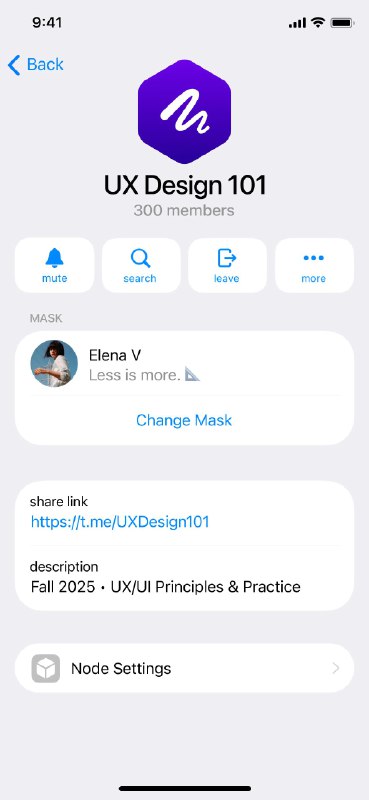
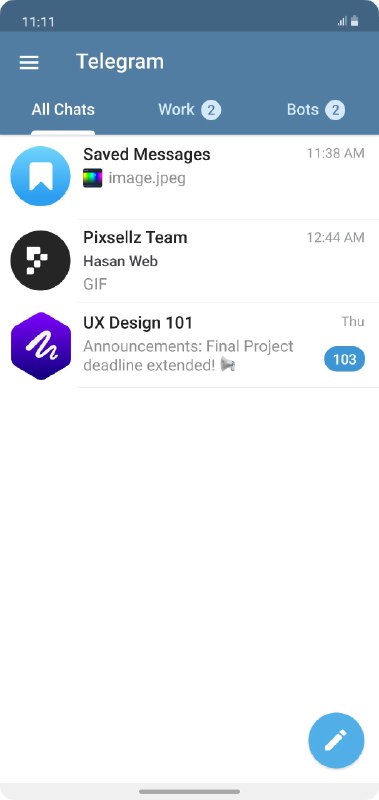
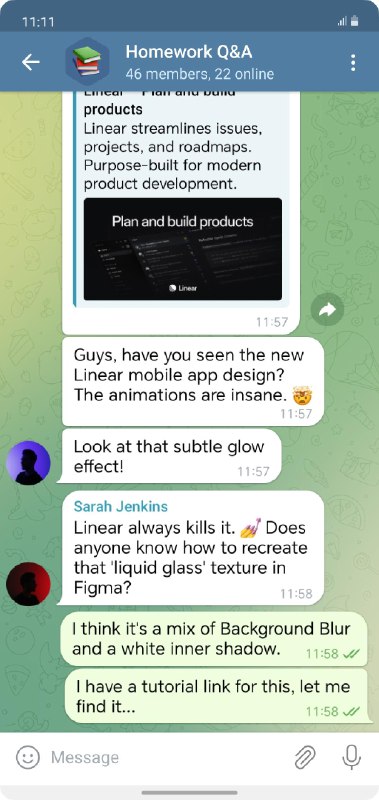
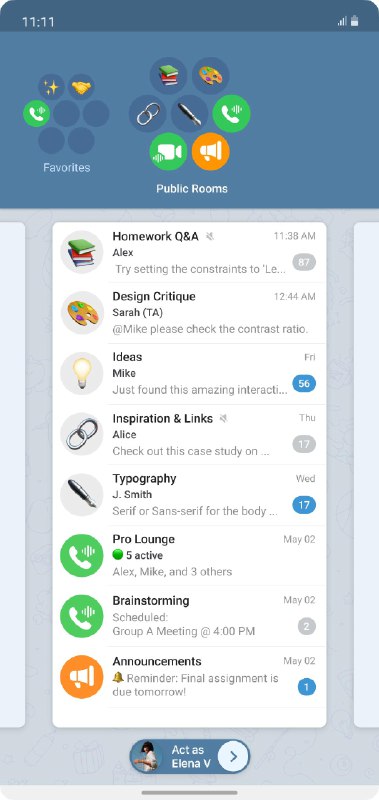
Overview: The Concept of "Node" In my concept, a Node is a dedicated space for communities like companies or classes. It is built upon "Rooms"—which can be Channels, Groups, Voice Chats, or Video Chats. • Public Rooms: Open to everyone in the Node. • Private Rooms: If you connect well with specific members, you can quickly create a Private Room for focused discussions. These rooms are strictly confined to the Node, ensuring they don't clutter your personal chat list or leak into the public view.
Permission System: Granular Control You can manage permissions by tapping on a member’s avatar: • Role-Based Management: A member's capabilities are defined by their combination of roles. Adding or removing roles instantly updates their access. • Deep Dive (e.g., Attach Media): Tapping a specific permission reveals a breakdown of all roles assigned to the member and their status (Allowed, Denied, or Unset). • Note: Editing a role's status here is global—it affects all members who hold that role. • Exceptions: Simply use "Override" to grant specific privileges to an individual member, bypassing role restrictions. • Room-Specific Settings: Custom permissions can also be configured per room (disabled by default for simplicity).
Overview: The Concept of "Node" In my concept, a Node is a dedicated space for communities like companies or classes. It is built upon "Rooms"—which can be Channels, Groups, Voice Chats, or Video Chats. • Public Rooms: Open to everyone in the Node. • Private Rooms: If you connect well with specific members, you can quickly create a Private Room for focused discussions. These rooms are strictly confined to the Node, ensuring they don't clutter your personal chat list or leak into the public view.
How can I read @designingacube without a Telegram account?
TGViewer shows the public web preview Telegram publishes for Designing a Cube: recent posts, photos, videos and the subscriber count, with no app, login or account.
How many subscribers does Designing a Cube have?
Designing a Cube (@designingacube) has 10 subscribers on Telegram, refreshed roughly every 30 minutes.
Does Designing a Cube know I viewed it here?
No. Public channel previews carry no viewer identity, and TGViewer has no accounts or tracking of what you look up.
 DE
DE