
Step-by-Step Guide on How to Buy and Sell $WEB3 Token on STON.fi
👌 Prepare your wallet:
Download and install any non-custodial wallet, for example, MyTonWallet. Set up the wallet and securely store your seed phrase.
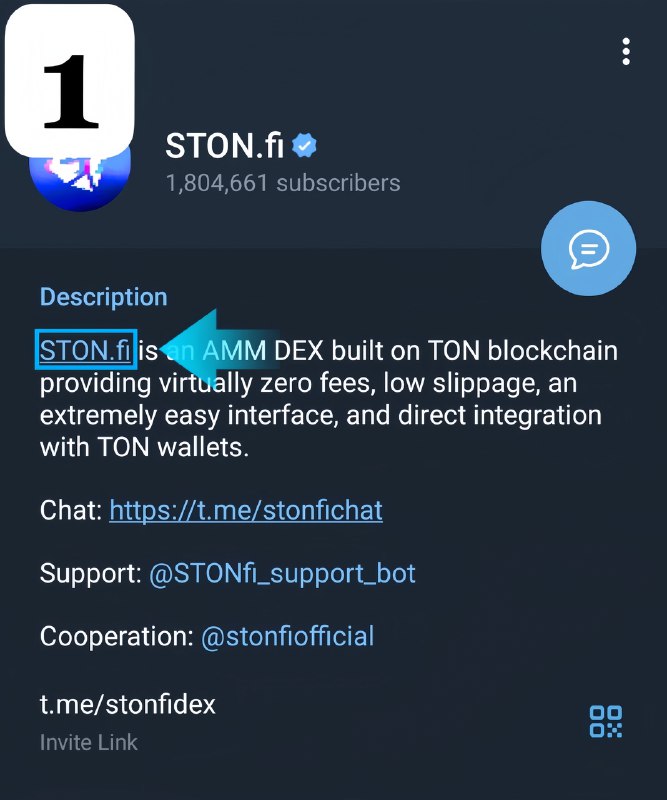
1️⃣ Go to the official channel and click on STON.fi
2️⃣ Click "Go to App"
3️⃣ Click "Connect Wallet"
4️⃣ Select your wallet and confirm the connection. We are using MyTonWallet
5️⃣ Use the swap interface to buy $WEB3
1. Enter the amount of tokens you want to swap
2. Select $WEB3
3. Check all details and click “Swap”
6️⃣ Click "Confirm swap"
7️⃣ Sale of $WEB3 token
1. Enter the amount of $WEB3 tokens you want to sell
2. Select the coin you want to receive
3. Check all details and click “Swap”
8️⃣ Click "Confirm swap"
9️⃣ In your wallet, click "Send"
1️⃣0️⃣ Confirm operation
👍 Finalizing the transaction:
Check your balance and transaction history in the wallet after completing the transaction.
#GUIDE 👉 WEB3 TON x DNS 👈
Post #162
923
Forwarded from WEB3 TON DNS Media


- 👍 3
- 🔥 3