TGViewer
Channel Public Channel
UI UX Designers | Photoshop & Video Editing

UI UX Designers | Photoshop & Video Editing

@videoeditingskill

Photoshop& video editing tips & tricks to help you quickly create professional looking designs & templates for social media, ads, websites & more.
Subscribers
2.5K
Photos
62
Videos
11
Links
23
Recent Posts 15 shown
Post #161 528
To learn Graphic Design from basic to advanced levels, you can follow these steps: 🤩🤩

⏩ Design Fundamentals:

Start by understanding the core principles of graphic design. Learn about composition, balance, contrast, alignment, hierarchy, proximity, repetition, white space, and visual flow.

⏩ Typography:

Learn how to use text effectively in design. Understand fonts, typefaces, font pairing, hierarchy, spacing, readability, and how typography influences the overall mood of a design.

⏩ Color Theory:

Understand how colors work together and how they influence emotions and visual communication. Learn color harmony, contrast, saturation, palettes, RGB, CMYK, and how to choose colors for different design purposes.

⏩ Layout and Composition:

Learn how to arrange text, images, shapes, and other elements to create visually balanced designs. Study grids, spacing, proportions, alignment, and visual hierarchy.

⏩ Design Software:

Become comfortable with professional design tools such as Adobe Photoshop, Illustrator, and InDesign. Also explore modern tools such as Figma and Canva depending on your design goals.

⏩ Image Editing:

Learn how to edit and enhance images. Study cropping, resizing, color correction, retouching, masking, layers, selections, blending modes, and non-destructive editing.

⏩ Vector Graphics:

Learn how to create scalable graphics using vector-based design. Understand shapes, paths, curves, strokes, fills, and the creation of logos, icons, illustrations, and other graphics.

⏩ Branding and Visual Identity:

Learn how businesses create consistent visual identities. Study logo design, brand colors, typography, brand guidelines, and how to maintain consistency across different platforms.

⏩ UI and Digital Design:

Explore design for websites, mobile apps, social media, advertisements, and digital products. Learn basic UI principles, wireframing, visual hierarchy, and user-focused design.

⏩ Print Design:

Understand how to create designs for physical media such as brochures, posters, business cards, flyers, magazines, and packaging. Learn about print layouts, resolution, bleed, margins, and color modes.

⏩ Motion and Visual Effects:

Take your skills further by learning motion graphics and animation. Explore tools such as After Effects and learn how to create animated typography, transitions, promotional graphics, and visual effects.

⏩ Design for Social Media:

Learn how to create engaging visuals for platforms such as Instagram, YouTube, LinkedIn, and other digital channels. Understand platform dimensions, thumbnails, visual consistency, and attention-grabbing compositions.

⏩ Design Thinking and Creative Process:

Learn how professional designers approach problems. Practice research, brainstorming, moodboarding, sketching, creating concepts, receiving feedback, and refining designs.

⏩ Build a Portfolio:

Create a strong portfolio showcasing your best work. Include different types of projects such as branding, posters, social media designs, UI designs, illustrations, and advertisements.

⏩ Freelancing and Professional Skills:

Learn how to work with clients, understand project requirements, create proposals, price your work, manage revisions, meet deadlines, and present your designs professionally.

⏩ Continuous Learning and Industry Trends:

Graphic design constantly evolves. Stay updated with new design trends, tools, AI-powered design technologies, typography trends, visual styles, and creative techniques.

➡️ Graphic Design is a combination of creativity, visual communication, technical skills, and problem-solving. The best way to master it is to learn the fundamentals, practice regularly, study great designs, and build real-world projects.

React ❤️ for more
  • ❤ 6
Post #159 1.19K
✅ Graphic Design A-Z! 🎨✨

A: Alignment - Arranging elements in a straight line or in proper order, creating visual connection and organization.

B: Branding - The process of creating a unique identity for a business or product, encompassing its visual style, voice, and values.

C: Color Theory - The study of how colors interact with each other and how they affect human perception and emotions.

D: Design Principles - Fundamental rules that guide the creation of visually appealing and effective designs, such as balance, contrast, emphasis, and unity.

E: Elements of Design - The basic building blocks of visual communication, including line, shape, color, texture, space, and form.

F: Font - A specific typeface in a particular size and style, used to convey text and create visual hierarchy.

G: Grid Systems - A framework of horizontal and vertical lines used to structure and organize content on a page or layout.

H: Hierarchy - The arrangement of elements in a design to visually prioritize information and guide the viewer's eye.

I: Illustration - Hand-drawn or digitally created images used to enhance visual communication and storytelling.

J: JPEG (Joint Photographic Experts Group) - A common image file format used for photographs and complex graphics, known for its lossy compression.

K: Kerning - The adjustment of space between individual letters to improve readability and visual appeal.

L: Layout - The arrangement of visual elements on a page or screen to create a cohesive and effective design.

M: Mockup - A static, high-fidelity representation of a design used to visualize its appearance and functionality.

N: Negative Space (White Space) - The empty areas around and between design elements, used to create visual balance and improve readability.

O: Opacity - The degree to which an element is transparent, allowing underlying elements to show through.

P: Photoshop - A popular image editing software used for photo retouching, compositing, and creating graphics.

Q: Quality - The overall excellence or superiority of a design, reflecting its effectiveness, aesthetics, and technical execution.

R: Resolution - The number of pixels in an image, determining its level of detail and clarity.

S: Typography - The art and technique of arranging type to make written language legible, readable, and visually appealing.

T: Texture - The visual appearance or feel of a surface, adding depth and realism to designs.

U: UI (User Interface) - The visual elements of a design that allow users to interact with a software application or website.

V: Vector Graphics - Images created using mathematical equations, allowing them to be scaled without loss of quality.

W: Wireframe - A basic, low-fidelity representation of a website or application layout, focusing on structure and functionality.

X: X-Height - The height of lowercase letters in a typeface, excluding ascenders and descenders.

Y: Year-over-Year (YoY) - Comparing design trends and styles from one year to the next to identify emerging patterns.

Z: Z-Pattern Layout - A design technique that guides the viewer's eye along a "Z" shape, commonly used in web design to highlight key information.

Tap ❤️ for more!
  • ❤ 12
Post #158 1.07K
Real-world examples strengthen your portfolio.

17. Accept Feedback Positively

Interviewers value designers who:

• Listen carefully

• Accept constructive feedback

• Improve designs based on requirements

Collaboration is an important part of design work.

18. Prepare Behavioral Questions

Examples:

• Tell me about a difficult client

• How do you handle multiple deadlines?

• Describe a project you're proud of

• How do you deal with design revisions?

Use real examples from your experience.

19. Present Your Portfolio Professionally

For each project, explain:

Objective → Target Audience → Design Process → Tools Used → Challenges → Final Result

A well-presented portfolio is often more impressive than a large one.

20. Practice Daily

Improve by:

• Recreating popular designs

• Participating in design challenges

• Exploring new tools

• Studying great designs

• Building personal projects

Consistent practice sharpens both creativity and technical skills.

Final Interview Advice

• Build a high-quality portfolio with real-world projects

• Master design principles, typography, and color theory

• Learn Adobe Creative Suite and modern tools like Figma

• Be ready to explain the reasoning behind your design decisions

• Treat feedback as an opportunity to improve

Note: Graphic design interviews are not just about creating visually appealing designs. They are about solving communication problems through effective, user-focused visual design.

Double Tap ❤️ For More
  • ❤ 8
Post #157 854
Top 20 Graphic Design Interview Tips to Crack Your Next Interview

1. Build a Strong Portfolio

Your portfolio is your biggest asset.

Include:

• Logo Designs

• Social Media Creatives

• Branding Projects

• Posters

• Flyers

• UI Designs if applicable

Show quality over quantity.

2. Understand Design Principles

Master the basics:

• Contrast

• Balance

• Alignment

• Repetition

• Proximity

• Hierarchy

• White Space

These are fundamental concepts interviewers may discuss.

3. Learn Color Theory

Know how to:

• Choose color palettes

• Create visual harmony

• Use complementary and analogous colors

• Design for brand identity

4. Master Typography

Understand:

• Serif vs Sans-serif fonts

• Font pairing

• Line spacing

• Letter spacing

• Readability

Typography can significantly impact a design.

5. Know Industry-Standard Tools

Be comfortable with tools such as:

• Adobe Photoshop

• Adobe Illustrator

• Adobe InDesign

• Figma

• Canva

Explain which tool you would choose for different design tasks.

6. Learn Branding Basics

Understand how to create:

• Logos

• Brand Guidelines

• Color Systems

• Typography Guidelines

• Brand Identity

Brand consistency is important for businesses.

7. Explain Your Design Process

Interviewers often ask: "Walk me through one of your projects."

Structure your answer:

Client Requirement → Research → Wireframe/Concept → Design Process → Feedback → Final Outcome

8. Be Ready for Design Critiques

Interviewers may ask:

• Why did you choose these colors?

• Why this font?

• Why this layout?

Support your decisions with design principles rather than personal preference.

9. Understand Layout and Composition

Practice:

• Grid Systems

• Rule of Thirds

• Visual Hierarchy

• Alignment

• Spacing

Well-organized layouts improve readability.

10. Learn Basic UI/UX Concepts

Even for graphic design roles, basic knowledge of:

• User Interface UI

• User Experience UX

• Responsive Design

• Accessibility

can be beneficial.

11. Know File Formats

Understand when to use:

• PNG

• JPEG

• SVG

• PDF

• AI

• PSD

Each format serves different purposes.

12. Optimize Designs for Different Platforms

Designs should be adapted for:

• Social Media

• Websites

• Print

• Mobile Devices

• Presentations

Always consider the final medium.

13. Stay Updated with Design Trends

Follow current trends such as:

• Minimalism

• Glassmorphism

• 3D Illustrations

• Bold Typography

• Gradients

• Motion Graphics

Use trends thoughtfully rather than following them blindly.

14. Learn Image Editing

Practice:

• Background Removal

• Retouching

• Color Correction

• Photo Manipulation

These skills are commonly used in professional projects.

15. Understand Brand Consistency

Maintain consistency in:

• Colors

• Fonts

• Icons

• Layout

• Visual Style

Consistency strengthens brand recognition.

16. Practice Real Client Projects

Build projects such as:

• Restaurant Menu

• Company Brochure

• Product Packaging

• Event Poster

• Instagram Campaign
Post #155 1.03K
📱 Mobile Dev Tips

🔋 Save battery
🌐 Handle offline
📦 Shrink app size
⚡ Keep UI smooth
🎨 Support dark mode
Post #154 1.89K
🖌 2000+ UI designs packed into one dataset

A massive collection of 2000+ interface files is now available. Each one comes as a DESIGN.md, so you can load it into an AI agent and generate UI faster.

What’s inside:

✔️ 2000+ design files ready for any AI workflow
✔️ Each file includes colors, typography, fonts, layout
✔️ Organized by categories for quick lookup
✔️ You can input a site and get a matching interface

👉 Link 👈

Basically a plug-and-play reference base for UI generation.
  • ❤ 5
  • 🔥 1
Post #153 2.43K
🔅 Getting Started With Celery in Flask Apps
Post #152 2.8K
✅ Graphic Design A-Z! 🎨✨

A: Alignment - Arranging elements in a straight line or in proper order, creating visual connection and organization.

B: Branding - The process of creating a unique identity for a business or product, encompassing its visual style, voice, and values.

C: Color Theory - The study of how colors interact with each other and how they affect human perception and emotions.

D: Design Principles - Fundamental rules that guide the creation of visually appealing and effective designs, such as balance, contrast, emphasis, and unity.

E: Elements of Design - The basic building blocks of visual communication, including line, shape, color, texture, space, and form.

F: Font - A specific typeface in a particular size and style, used to convey text and create visual hierarchy.

G: Grid Systems - A framework of horizontal and vertical lines used to structure and organize content on a page or layout.

H: Hierarchy - The arrangement of elements in a design to visually prioritize information and guide the viewer's eye.

I: Illustration - Hand-drawn or digitally created images used to enhance visual communication and storytelling.

J: JPEG (Joint Photographic Experts Group) - A common image file format used for photographs and complex graphics, known for its lossy compression.

K: Kerning - The adjustment of space between individual letters to improve readability and visual appeal.

L: Layout - The arrangement of visual elements on a page or screen to create a cohesive and effective design.

M: Mockup - A static, high-fidelity representation of a design used to visualize its appearance and functionality.

N: Negative Space (White Space) - The empty areas around and between design elements, used to create visual balance and improve readability.

O: Opacity - The degree to which an element is transparent, allowing underlying elements to show through.

P: Photoshop - A popular image editing software used for photo retouching, compositing, and creating graphics.

Q: Quality - The overall excellence or superiority of a design, reflecting its effectiveness, aesthetics, and technical execution.

R: Resolution - The number of pixels in an image, determining its level of detail and clarity.

S: Typography - The art and technique of arranging type to make written language legible, readable, and visually appealing.

T: Texture - The visual appearance or feel of a surface, adding depth and realism to designs.

U: UI (User Interface) - The visual elements of a design that allow users to interact with a software application or website.

V: Vector Graphics - Images created using mathematical equations, allowing them to be scaled without loss of quality.

W: Wireframe - A basic, low-fidelity representation of a website or application layout, focusing on structure and functionality.

X: X-Height - The height of lowercase letters in a typeface, excluding ascenders and descenders.

Y: Year-over-Year (YoY) - Comparing design trends and styles from one year to the next to identify emerging patterns.

Z: Z-Pattern Layout - A design technique that guides the viewer's eye along a "Z" shape, commonly used in web design to highlight key information.

Tap ❤️ for more!
  • ❤ 10
  • 🔥 1
Post #151 2.17K
📱 Mobile App Development Frameworks & Their Use Cases 🚀📲

🔹 Flutter ➜ Cross-platform apps with a single codebase (Android + iOS)

🔹 React Native ➜ Build mobile apps using JavaScript & React

🔹 SwiftUI ➜ Native iOS app development with modern UI approach

🔹 Kotlin Multiplatform ➜ Share business logic across Android & iOS

🔹 Ionic ➜ Hybrid mobile apps using HTML, CSS & JavaScript

🔹 Xamarin ➜ Cross-platform apps using C# and .NET

🔹 Android Jetpack ➜ Modern Android app architecture components

🔹 Firebase ➜ Backend services for authentication, database & hosting

🔹 Unity ➜ Mobile game development with powerful graphics engine

🔹 Apache Cordova ➜ Convert web apps into mobile apps

💬 Tap ❤️ if this helped you!
  • ❤ 6
Post #150 2.73K
🌐 Web Design Tools & Their Use Cases 🎨🌐

🔹 Figma ➜ Collaborative UI/UX prototyping and wireframing for teams
🔹 Adobe XD ➜ Interactive design mockups and user experience flows
🔹 Sketch ➜ Vector-based interface design for Mac users and plugins
🔹 Canva ➜ Drag-and-drop graphics for quick social media and marketing assets
🔹 Adobe Photoshop ➜ Image editing, compositing, and raster graphics manipulation
🔹 Adobe Illustrator ➜ Vector illustrations, logos, and scalable icons
🔹 InVision Studio ➜ High-fidelity prototyping with animations and transitions
🔹 Webflow ➜ No-code visual website building with responsive layouts
🔹 Framer ➜ Interactive prototypes and animations for advanced UX
🔹 Tailwind CSS ➜ Utility-first styling for custom, responsive web designs
🔹 Bootstrap ➜ Pre-built components for rapid mobile-first layouts
🔹 Material Design ➜ Google's UI guidelines for consistent Android/web interfaces
🔹 Principle ➜ Micro-interactions and motion design for app prototypes
🔹 Zeplin ➜ Design handoff to developers with specs and assets
🔹 Marvel ➜ Simple prototyping and user testing for early concepts

💬 Tap ❤️ if this helped!
  • ❤ 10
  • 👍 2
Post #149 2.85K
🎨 Roadmap to Master Graphic Design in 60 Days! 🖌️✨

📅 Week 1–2: Design Fundamentals
🔹 Day 1–5: Basics of design – color theory, typography, layout
🔹 Day 6–10: Principles – contrast, alignment, hierarchy, balance, white space

📅 Week 3–4: Tools Mastery
🔹 Day 11–15: Adobe Photoshop – photo editing, retouching, text effects
🔹 Day 16–20: Adobe Illustrator – vector design, logos, icons

📅 Week 5–6: Visual Content Creation
🔹 Day 21–25: Social media graphics, banners, posters
🔹 Day 26–30: Branding – logo design, color palettes, style guides

📅 Week 7–8: Real-World Design Skills
🔹 Day 31–35: UI design basics – Figma/Adobe XD, wireframes, mockups
🔹 Day 36–40: Print design – flyers, brochures, business cards

📅 Week 9: Practice Portfolio
🔹 Day 41–45: Redesign popular brand visuals
🔹 Day 46–50: Create a personal brand + Behance/Dribbble portfolio

📅 Final 10 Days: Projects Freelance Readiness
🔹 Day 51–60:
– Take mock freelance briefs
– Build a portfolio website (optional)
– Start applying on Fiverr/Upwork

💬 Tap ❤️ for the detailed explanation!
  • ❤ 12
  • 👏 2
  • 🔥 1
Post #148 2.46K
✅ Graphic Designer Interview Prep Guide (Beginner Friendly) 🎨🖥️

Want to land your first design job or freelance gig? Here's how to get ready step-by-step:

1️⃣ Understand the Role
Graphic designers create visual content for:
• Social media
• Branding/logos
• Marketing materials (flyers, posters, ads)
• UI assets (icons, mockups)
• Presentations and print-ready files

2️⃣ Tools You Should Know
✔️ Adobe Photoshop / Illustrator
✔️ Canva (for quick edits)
✔️ Figma (for UI design)
✔️ InDesign (for print layouts)
✔️ Optional: Adobe XD, Lightroom, CorelDRAW

3️⃣ Core Interview Questions

A. Design Thinking Creativity
• Walk me through your design process.
• How do you balance creativity with client feedback?
• What makes a good logo/poster/banner?

B. Technical Knowledge
• Difference between raster vs vector
• CMYK vs RGB
• DPI for print vs digital
• How do you export files for web vs print?

C. Portfolio-Based Questions
• Why did you choose this color/font/layout?
• What problem were you solving?
• What tools and steps did you use?

D. Soft Skills
• How do you handle tight deadlines?
• How do you deal with revisions?
• Describe a challenging design project and how you handled it.

4️⃣ Build a Portfolio That Stands Out
✅ Include 6–8 strong pieces:
• Logo redesign
• Social media carousel
• Poster/banner ad
• Business card design
• App or website UI (optional)
✅ Add mockups to showcase presentation
✅ Use Behance, Dribbble, or a personal website
✅ Write a short case study (problem → process → result)

5️⃣ Bonus Tips
• Follow design trends (but don’t copy)
• Learn basic UX principles
• Be open to feedback — design is collaborative
• Practice daily: design challenges, redesign popular brands, use templates for ideas

💬 Tap ❤️ for more!
  • ❤ 6
Post #143 2.13K
UI/UX roadmap
  • ❤ 1
  • 🔥 1
Post #133 2.07K
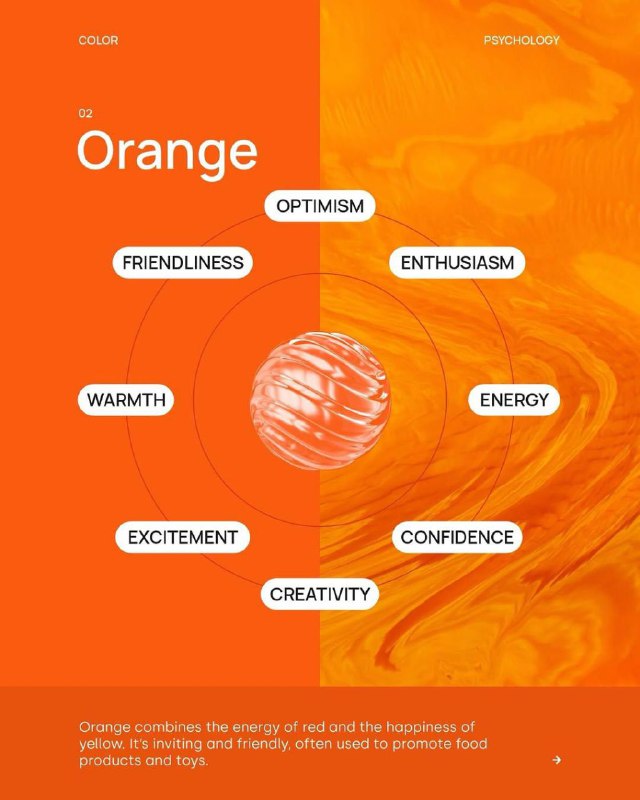
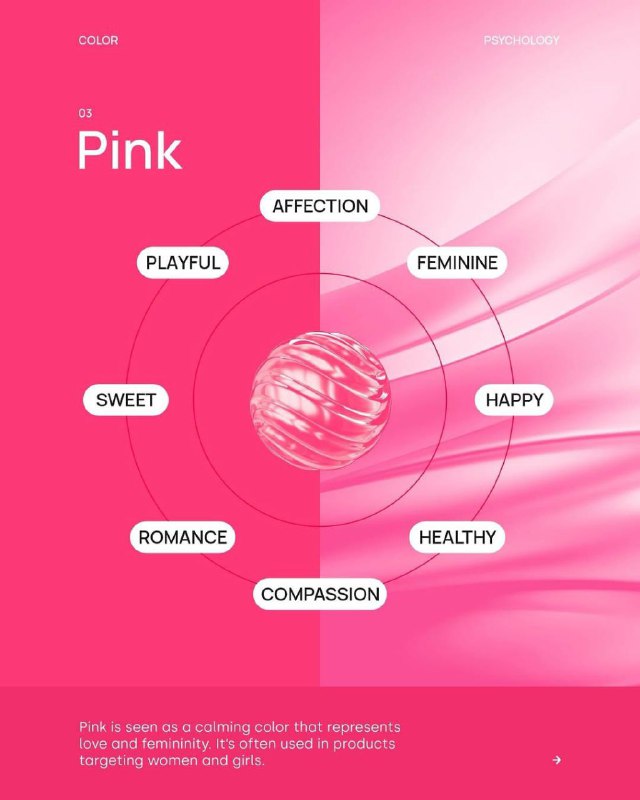
🎨 COLOR PSYCHOLOGY IN GRAPHIC DESIGN
  • ❤ 2
  • 🔥 2
Older posts →

About this channel

How can I read @videoeditingskill without a Telegram account?
TGViewer shows the public web preview Telegram publishes for UI UX Designers | Photoshop & Video Editing: recent posts, photos, videos and the subscriber count, with no app, login or account.
How many subscribers does UI UX Designers | Photoshop & Video Editing have?
UI UX Designers | Photoshop & Video Editing (@videoeditingskill) has 2.5K subscribers on Telegram, refreshed roughly every 30 minutes.
Does UI UX Designers | Photoshop & Video Editing know I viewed it here?
No. Public channel previews carry no viewer identity, and TGViewer has no accounts or tracking of what you look up.
Threads Profile ViewerView any public Threads profile without an account.Open ThreadLook →Writing with AI? Make it sound human.Metric37 rewrites AI drafts so they read naturally. Free AI detector, 1,500 words free.Try Metric37 →