
💡 How to enable View Replies/Thread on a Private Group and keep it PRIVATE
(As we know that this feature is available for groups that linked to a channel only)
1️⃣ Create a private channel
2️⃣ Open Channel settings > Edit > Discussion > select your group chat
3️⃣ Done.
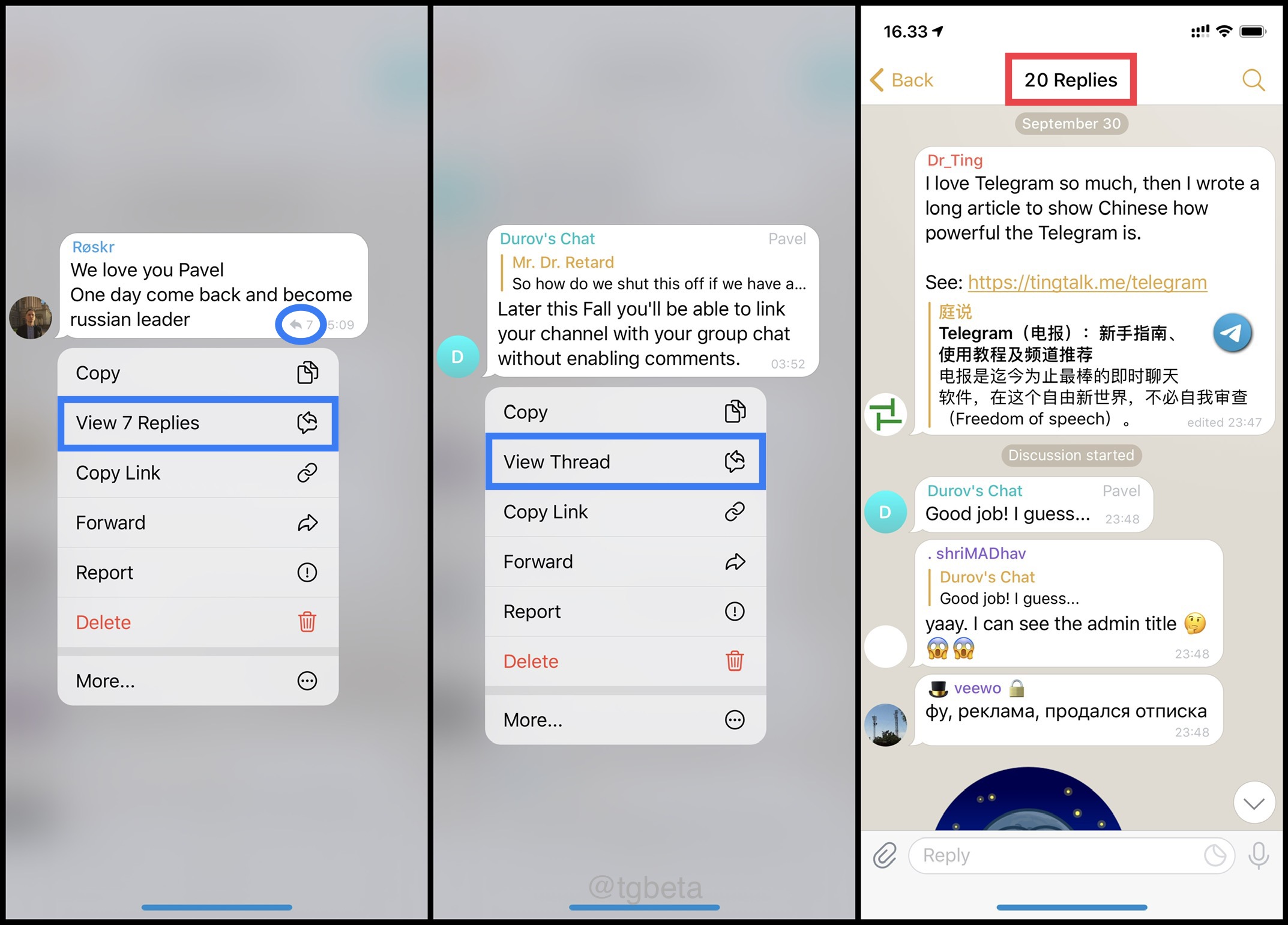
Try to reply a message in your group chat, now you should see View Replies/Thread on the message menu.
Examples:
• View Replies from here
• View Thread from here
ℹ️ Notes
• Keep the channel private and empty (it just a dummy channel): no post, no admin/subscriber, and no need to share the channel link.
• Link & unlink channel to a group chat can be done by: owner and admin that has 'Change Channel Info' right.
• Unlink group chat to the channel can be done by: owner and admin that has 'Pin Messages' right.
#tips
Post #4213
21.7K
- 🐳 1