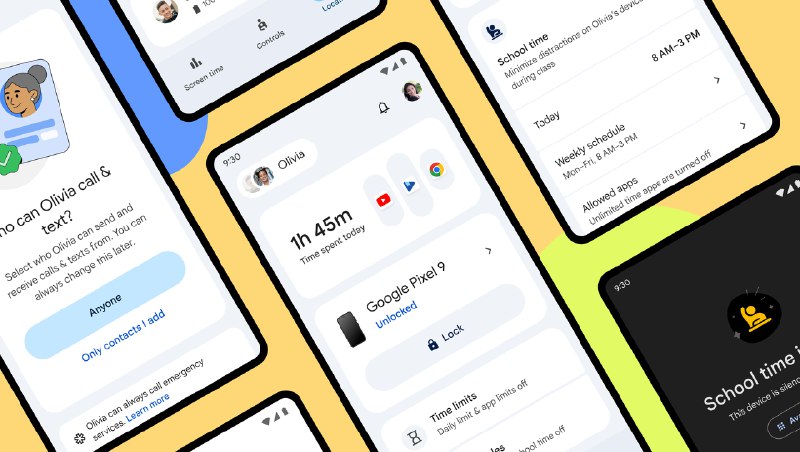
like [School Time](https://blog.google/technology/families/family-link-updates-february-2025/), Google Play app purchase approvals, location alerts, and more.
# 🧘 Other quality-of-life improvements
And lastly, here are some smaller quality-of-life changes we’re introducing in this release:
* **Separate Wi-Fi and Mobile Data toggles:** With Android 17, we’ve split the “Internet” tile [into two separate tiles](https://www.reddit.com/media?url=https%3A%2F%2Fpreview.redd.it%2Fandroid-17-beta-3-a-new-multitasking-experience-redesigned-v0-ojyys7fc2grg1.png%3Fwidth%3D1080%26crop%3Dsmart%26auto%3Dwebp%26s%3D3ff753ef1ee49de6c26dee2ebca6951946ac4754), one for controlling Wi-Fi and another for controlling Mobile Data. Consistent with the Quick Settings behavior we introduced with Material 3 Expressive, both tiles have two different touch points. Tapping the icon toggles the respective radio, while tapping the label opens the full Internet Panel. This change reduces the number of taps needed to toggle Wi-Fi and Mobile Data while still retaining access to the full Internet Panel!
* **Scheduled clock change notifications**: We’ve added a new feature in Android 17 that sends you a notification when your clock performs a scheduled change, for example when daylight saving time ends. You can [enable this feature](https://www.reddit.com/media?url=https%3A%2F%2Fpreview.redd.it%2Fandroid-17-beta-3-a-new-multitasking-experience-redesigned-v0-1o08wbki2grg1.png%3Fwidth%3D1080%26crop%3Dsmart%26auto%3Dwebp%26s%3Dd6455b27d583b861de252c0e365b198505b1d109) under “Date & time” settings.
* **Restoring default keyboard visibility after rotation:** Beginning with Android 17, when the keyboard is on screen and you rotate the screen, the keyboard won’t be made visible unless the app explicitly requests it.
# 🪲 Bug fixes and security patches
Please refer to the [Android Security Bulletin](https://source.android.com/docs/security/bulletin/android-17) for details on the security vulnerabilities addressed with this platform release.
\----
There are plenty of other changes in Android 17, especially for developers! For example, Android 17 expands the capabilities of AppFunctions, introduces an EyeDropper API, makes the aspect ratio of images in the Photo Picker more customizable, and much more. To learn more about everything new for developers in this release, visit [developer.android.com](https://developer.android.com/about/versions/17/features).
Also, don’t forget that select advanced devices will be getting [Gemini Intelligence](https://www.reddit.com/r/Android/comments/1tb83gy/making_android_smarter_and_more_proactive_with/) features later this summer. In addition, we’re introducing [Android Halo](https://blog.google/products-and-platforms/platforms/android/android-halo/) in a future Android 17 release to give you at-a-glance visibility into what your agent is working on at any given time. Lastly, be sure to check out our latest [Android Drop](https://www.reddit.com/r/Android/comments/1tuyxcv/june_android_drop_brings_new_safety_and/) to learn about what new features are coming to all Android devices, not just those running Android 17!
https://redd.it/1u7l1cw
@reddit_android
Post #34137
79