
Optional toggle-able QS Panel Styles @ProjectInfinityX
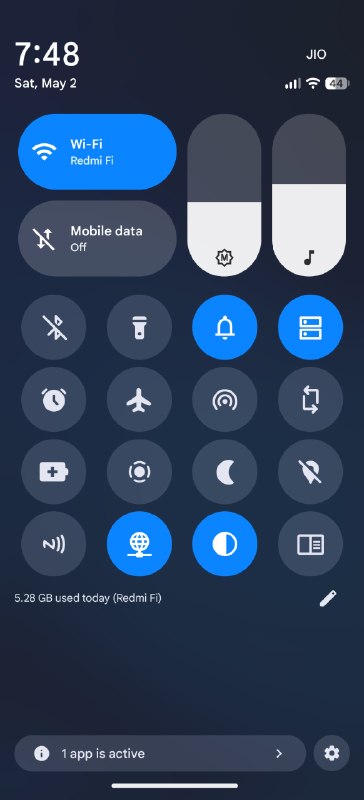
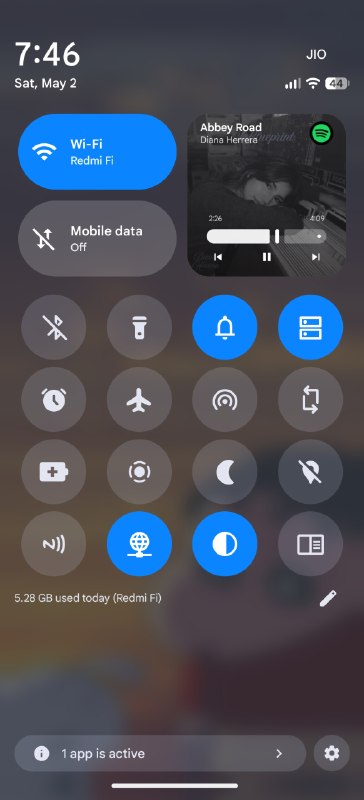
• Implemented OEM inspired QS panel styles (Can still use Stock Android QS style along with them)
- HyperOS Control Center Style
~ Detailed clip shown in first video attachment of this post
~ Swipe from the right side of statusbar = HyperOS style Control Center
~ Swipe from the left side of statusbar = Notification panel as in HyperOS
- OxygenOS style QS Panel
~ Detailed clip shown in second video attachment of this post
~ Media player and sliders available on both unexpanded and expanded QS
~ Give a swipe on sliders/media player to swap their active visibility as per your choice during runtime as shown in second video
~ Infinity X QS Panel
- General QS Panel with the media player and sliders having/allowing all the active QS customizations available
---- NOTE: Colors of all the newly added elements are modifiable as per user choice from Infinity Suite > Themes > Gradients customisation (as shown in third video ----
Post #1850
36.6K




- 🔥 291
- ❤ 78
- 😍 20
- 👍 4
- 🗿 3
- 👏 2
- 🤔 2