✅ Official channel
lteboost.com/en - Proxy
@en_LteBoostMobileBot - Bot for activation proxies
@chatltebot - Support
@lteboost_news Ru Channel
Post #324
56
🥷 New big Update: 0.2.6.4
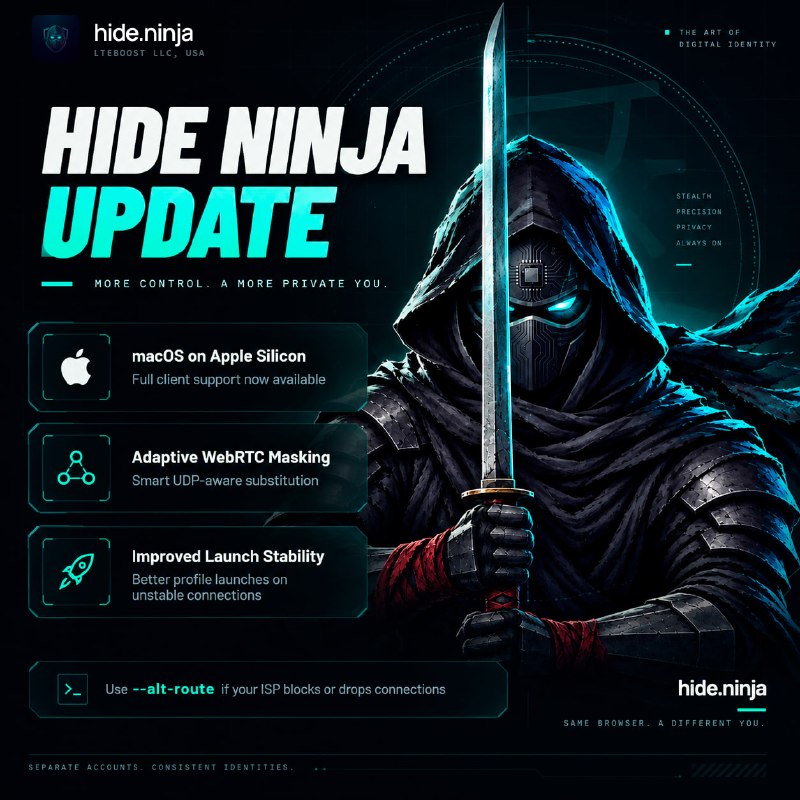
— Full support for macOS on Apple Silicon has been added and is available for download on CTA. All existing functionality has been fully adapted. We will now support two host platforms for the client and browser engines, so you can work with your profiles wherever is most convenient for you. Windows 10 and 11 guest platforms are available for your profiles, just as they are on the Windows version of the client.
— Adaptive WebRTC masking has been added. If your proxy does not support UDP (for example, the UDP ASSOCIATE command is not available on SOCKS5), it automatically detects your proxy’s external IP address and performs the correct substitution. If your proxy supports UDP, all STUN/TURN traffic passes through your proxy, just as it did before.
Please note that if UDP is not available on your proxy’s side, the browser will do everything possible to compensate for its absence programmatically and perform a synthetic substitution within WebRTC.
However, some strict anti-fraud systems verify connections out-of-band - they assign a unique session token to the STUN/TURN request and confirm that an actual network packet arrived at the server. If synthetic candidates are presented in the browser without a corresponding connection on the TURN server, the audit will fail.
To guarantee passing strict anti-fraud checks and avoid detection of synthetic substitution, always choose a proxy that provides native UDP support (such as proxies from lteboost.com which also allow you to set the TCP/IP SYN fingerprint for any operating system)
— Launching profiles over unstable connections has been improved, including the entire pre-launch preparation cycle. If you're still experiencing issues - for example, if your ISP is blocking or dropping connections (e.g. DPI bs) then try launching the client with the --alt-route flag.
— Full support for macOS on Apple Silicon has been added and is available for download on CTA. All existing functionality has been fully adapted. We will now support two host platforms for the client and browser engines, so you can work with your profiles wherever is most convenient for you. Windows 10 and 11 guest platforms are available for your profiles, just as they are on the Windows version of the client.
— Adaptive WebRTC masking has been added. If your proxy does not support UDP (for example, the UDP ASSOCIATE command is not available on SOCKS5), it automatically detects your proxy’s external IP address and performs the correct substitution. If your proxy supports UDP, all STUN/TURN traffic passes through your proxy, just as it did before.
Please note that if UDP is not available on your proxy’s side, the browser will do everything possible to compensate for its absence programmatically and perform a synthetic substitution within WebRTC.
However, some strict anti-fraud systems verify connections out-of-band - they assign a unique session token to the STUN/TURN request and confirm that an actual network packet arrived at the server. If synthetic candidates are presented in the browser without a corresponding connection on the TURN server, the audit will fail.
To guarantee passing strict anti-fraud checks and avoid detection of synthetic substitution, always choose a proxy that provides native UDP support (such as proxies from lteboost.com which also allow you to set the TCP/IP SYN fingerprint for any operating system)
— Launching profiles over unstable connections has been improved, including the entire pre-launch preparation cycle. If you're still experiencing issues - for example, if your ISP is blocking or dropping connections (e.g. DPI bs) then try launching the client with the --alt-route flag.
Hide Ninja links:
🌐 WebSite | 🛡 Support | 🔵 Group
- ❤ 1