
Greetings, readers!
With every update, we’re making LITERA more comfortable and easy to use.
This time, we’ve added two features to help you keep your notes safe and manage quotes more flexibly.
Undo delete (for quotes with notes):
Accidentally removed a quote with a note? Now you can bring it back.
When you delete a quote that has a note from the book content or the Social Activity Button(👥), a small UNDO window appears for a few seconds. Click it, and your quote is restored together with the note. No more lost ideas.
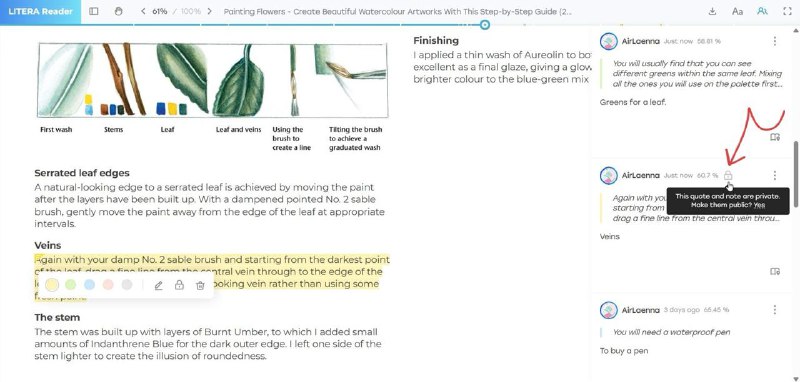
Private quotes via the Social Activity Button:
Previously, you could make quotes private only via the quote’s edit menu in the book content.
Now you can also do it directly from the Social Activity Button 👥, which gives you more convenience. Once a quote is set to private, a lock icon 🔒 will appear to indicate its status, and the note attached to this quote will also become private.
Everything works together to keep your thoughts protected.
More options, same privacy.
Two updates today, many more to come. We’re glad you’re here with us.
Stay tuned!
Post #11
5.1K




- ❤ 11