


I have donated, but it says that I have 0 credits
Donating stars and receiving credits are two separate steps. It's likely you've purchased stars but haven't completed the donation transfer yet.
Here’s how to turn your stars into credits:
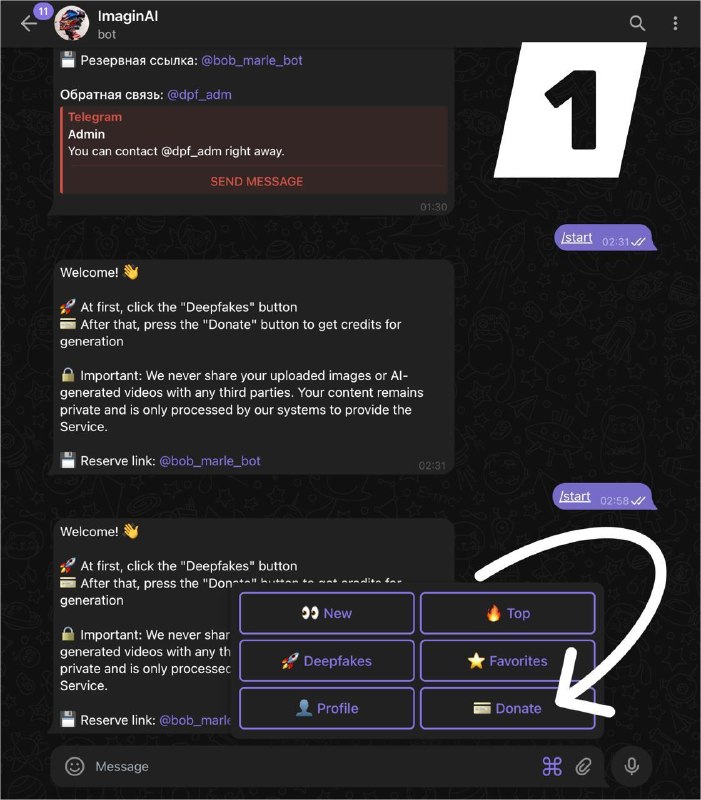
1. Tap "Donate" (see Screenshot 1).
2. Choose the amount of stars to transfer (1 star = 1 credit) — Screenshot 2.
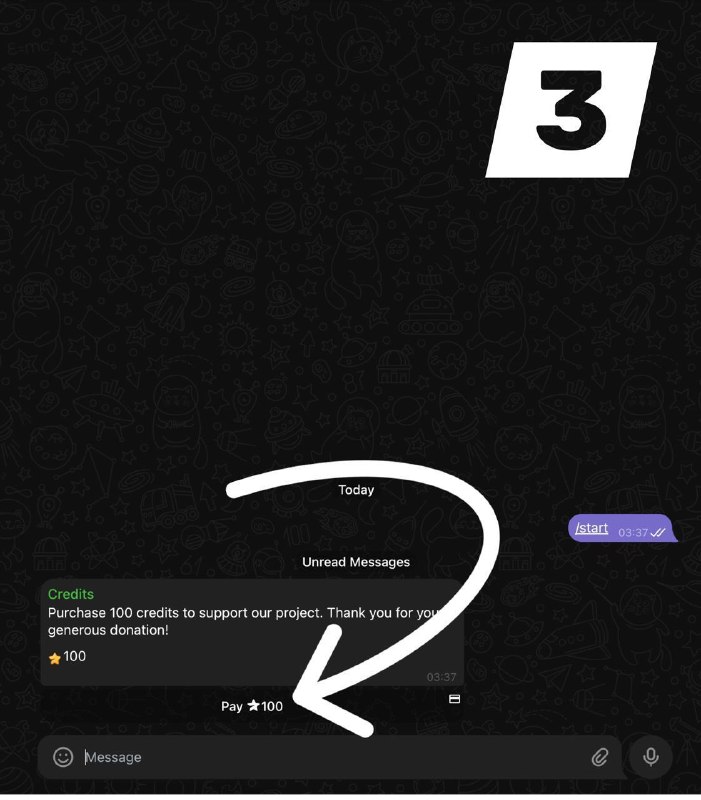
3. Confirm the donation (e.g., the "100 stars" button) to complete the transfer — Screenshot 3.
4. Check your updated balance by visiting your "Profile". The credits should now appear!
🔄 If your credits still show zero:
First, check your star balance. Were the stars actually deducted?
• If NOT deducted: Please try the donation process again from step 1.
• If WERE deducted but no credits arrived: Please contact support @dpf_adm immediately, and we'll resolve it for you.