TGViewer
Channel Public Channel
Workshop.

Workshop.

@editingpack

✦ An adourn, lovingly crafted by the hands of God's chosen one sincerely to help others, Editingpack. Contact us through @EditingpackBot for further information and take a look at @PreviousIy for the table of contents.
Subscribers
14K
Photos
4.7K
Videos
396
Links
693

Showing posts older than #11064 · Back to latest

Older Posts 20 shown
Post #11063 14.3K
✧ Colors, like features, follow the changes of the emotions. It's like music and the #colorpalette is an instrument that can be orchestrated to build form. It enhances and changes the mood of the art. Very bound up with the feelings.
  • ❤ 1
Post #11061 20.7K
#기재 ✧ #PNG: Torn paper PNGs.
These PNGs were created by Editingpack and free for both personal and commercial use. For commercial purposes please check this post and our regulations.
  • ❤ 5
  • 👍 1
Post #11059 17.7K
#기재 ✧ #fonts: Art Dystopia.
Post #11058 12K
#기재 ✧ #fonts: Spiderfingers.
Post #11057 10.3K
#기재 ✧ #fonts: Thin Worms.
Post #11056 9.32K
#기재 ✧ #fonts: Astrohex.
Post #11055 9.39K
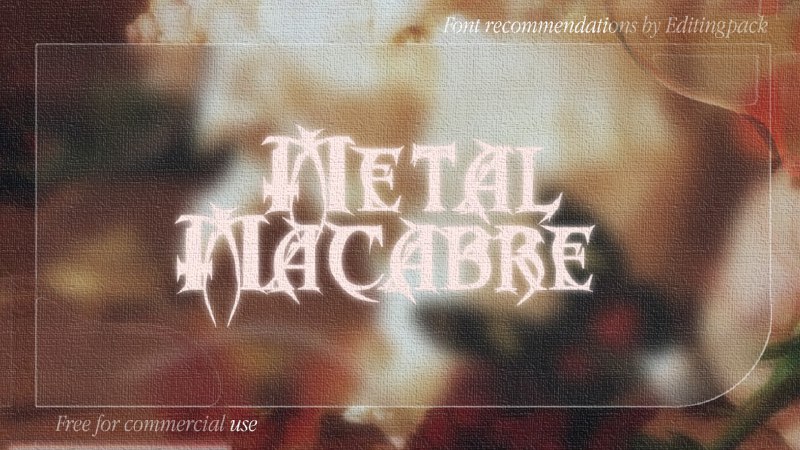
#기재 ✧ #fonts: Metal Macabre.
Post #11054 8.66K
#기재 ✧ #fonts: Cyrabika.
Post #11053 7.82K
#기재 ✧ #fonts: Tribal.
Post #11052 7.91K
#기재 ✧ #fonts: Geodesic.
Post #11051 8.21K
#기재 ✧ #fonts: Gotta Catch Psychic.
Post #11050 8.61K
#기재 ✧ #fonts: Aperat.
Post #11049 8.78K
#기재 ✧ #fonts: Gotta Catch Ghost.
Post #11047 9.66K
ㅤ✧ You can directly search and verify the license for these #font recommendations down below by surfing the internet, and please do correct us if we identify the font license incorrectly.
Post #11045 8.87K
ㅊ。And here's the result, featuring Hoyeon imut. <33 Hope this tutorial is clear enough to understand and help you a bit, have a pleasant weekend everyone!
Post #11043 9.07K
01. Pertama, pilih brush Watercolor (Point) terus atur jitter-nya jadi 164% dan buat lingkaran atau bentuk apapun yang kamu mau pakai brush ini. Shapes yang udah selesai nanti bakal jadi tempat masukin fotonya.

02. Add new layer terus clip pakai clipping mask ke layer yang udah dicoret pakai brush tadi.

03. Add foto terus cocokin posisinya di dalam shapes tadi, and you're done! Untuk lebih jelasnya bisa dilihat di video yaa.

Ps: Engga harus pakai brush Watercolor (Point) kok, bisa juga bikin bentuk yang lainnya pakai brush apapun yang kalian mau terus dikasih efek lens blur kaya yang ada di foto ke-2.
  • 👍 1
Older posts →
Threads Profile ViewerView any public Threads profile without an account.Open ThreadLook →Writing with AI? Make it sound human.Metric37 rewrites AI drafts so they read naturally. Free AI detector, 1,500 words free.Try Metric37 →