Post #10624
3.52K
Channel Public Channel
 WO
WO Workshop.
@editingpack
✦ An adourn, lovingly crafted by the hands of God's chosen one sincerely to help others, Editingpack. Contact us through @EditingpackBot for further information and take a look at @PreviousIy for the table of contents.
- Subscribers
- 13.9K
- Photos
- 4.7K
- Videos
- 396
- Links
- 693
Showing posts older than #10625 · Back to latest
Older Posts 14 shown
Post #10622
3.44K


#기재 ✧ #psd: Sonnet
──────────────────── ⊹
Free for both personal and commercial use. Remember to read our regulations first and feel free to contact @JunhoeBot for commercial purposes permission. Adjust the opacity to get the perfect coloring!
──────────────────── ⊹
Free for both personal and commercial use. Remember to read our regulations first and feel free to contact @JunhoeBot for commercial purposes permission. Adjust the opacity to get the perfect coloring!
Post #10621
3.36K
This post (sticker, poll or similar) has no web preview. Open in Telegram
Post #10620
3.61K
Post #10618
3.84K
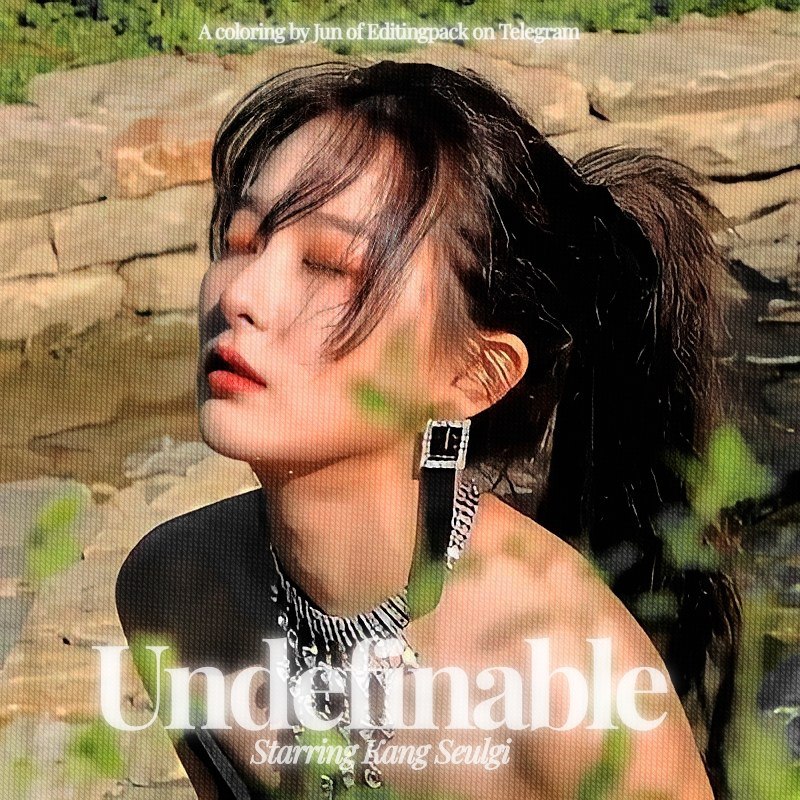

#기재 ✧ #psd: Undefinable
──────────────────── ⊹
Free for both personal and commercial use. Remember to read our regulations first and feel free to contact @JunhoeBot for commercial purposes permission. Adjust the opacity to get the perfect coloring!
──────────────────── ⊹
Free for both personal and commercial use. Remember to read our regulations first and feel free to contact @JunhoeBot for commercial purposes permission. Adjust the opacity to get the perfect coloring!
Post #10617
3.85K
This post (sticker, poll or similar) has no web preview. Open in Telegram
Post #10615
4.03K


ㅊ。Ini result akhirnya yaa. Buat sender yang kemarin nanyain soal ini di board, hope this helps. Have a great day ahead, everyone.
Post #10613
3.6K


03. Habis dikasih effect BnW tadi, click Layer terus pilih Merge Down supaya layer adjustment tadi bisa nyatu sama foto yang udah dikasih efek halftone.
04. Terakhir, atur layer mode dan opacity layer-nya sampai sesuai sama selera kamu and you're done!
04. Terakhir, atur layer mode dan opacity layer-nya sampai sesuai sama selera kamu and you're done!
Post #10611
3.67K


02. Atur halftone-nya sampai sesuai kemauan kalian terus click OK. Kalau udah selesai, pilih Layers > Adjustment dan pilih Black and White.
Post #10609
4.87K


01. Pertama, import foto kamu ke Photopea.com terus click Layer dan duplicate layer foto tadi. Setelah diduplikat, click Filter Tool > Pixelate terus pilih Color Halftone.
Post #10608
4.8K
This post (sticker, poll or similar) has no web preview. Open in Telegram
Post #10607
6.7K

#Tutors ✧ Gray Halftone on Photopea. For any further questions, feel free to contact @KooJunho or @JunhoeBot.
Post #10606
6.77K
This post (sticker, poll or similar) has no web preview. Open in Telegram
Post #10605
9.67K

ㅊ。Here's the preview for each textures and the layer mode recommendations, even so please feel free to use the mode you prefer. Zoom for details.
- 👍 2
- ❤ 1